

To share your Airbnb calendar, invite your cleaner as a co-host with Calendar access, or send the listing’s private .ics export link for use in Google Calendar or Apple Calendar.
The important choice is not simply whether the cleaner can see a date. It is whether the cleaner gets the right property, the correct checkout day, and enough operational context to act without receiving control over the host account. I prefer the narrowest permission that completes the job. For one listing on one platform, that usually means native calendar access. For several calendars, an exported feed or a separate cleaning calendar can be easier to read.
Calendar sharing and turnover management are related, but they are not identical. A calendar shows when a property is occupied or blocked. It does not necessarily assign a cleaner, confirm acceptance, record a repair, or prove that a turnover is complete. That distinction matters when comparing a native calendar with the workflows covered in Airbnb cleaning apps, vacation-rental task management software, and maintenance tracking software.
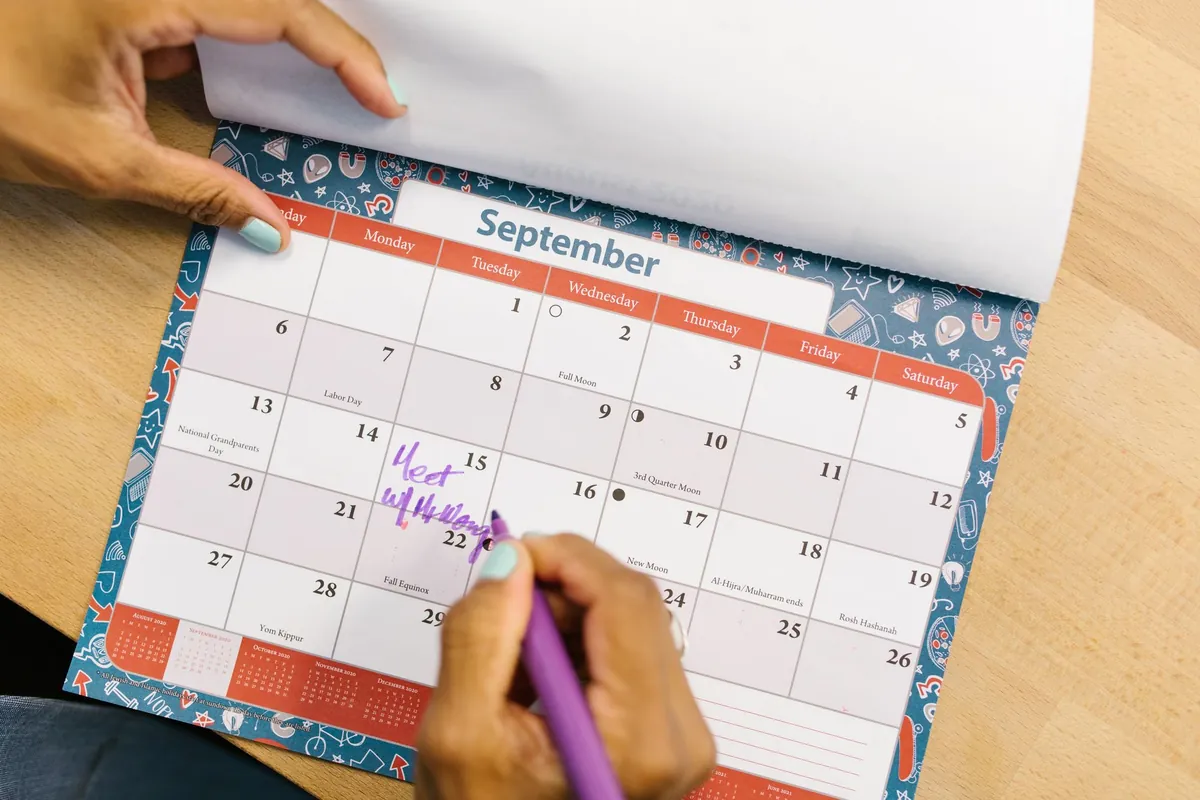
How do you share an Airbnb calendar with a cleaner?
There are two practical routes: give the cleaner Calendar access through their own Airbnb account, or copy the private calendar export address into a calendar application. The first keeps the schedule inside the platform. The second lets the cleaner subscribe without using the host’s login.
Here is a concrete access example. Airbnb says co-host access is added per listing. If you operate 2 listings and want the same cleaner to see both, check and configure access on both listing records rather than assuming access to the first listing automatically covers the second. The calculation is straightforward: 2 listings require 2 listing-level access checks.
Method one: invite the cleaner with Calendar access
Use the co-host route when the cleaner has their own Airbnb account and needs a native view of an individual listing. Do not send the cleaner the host’s email address and password. The cleaner should accept an invitation through a separate account, while the listing owner retains control of the host account.
- Sign in to the hosting account and open the listing the cleaner will service.
- Open the listing’s co-host or access area.
- Choose the option to invite a co-host.
- Enter the contact information associated with the cleaner’s own account.
- Select Calendar access rather than a broader permission level.
- Review the permission summary before sending the invitation.
- Ask the cleaner to accept the invitation through their own account.
- Open the listing together and confirm that the cleaner can view the calendar but cannot edit it.
Calendar access is the appropriate choice when the cleaner only needs to view the schedule. It lets the cleaner view but not edit the calendar, requires the cleaner’s own account, and does not require sharing the host’s login. Because access is granted at listing level, repeat the process for every listing the cleaner actually services.
I would test the permission instead of relying on the invitation status alone. Add a harmless blocked date, ask the cleaner to locate it, and then ask whether an editing control appears. The cleaner should be able to read the calendar without changing availability. Remove the test block after verification so it cannot interfere with a genuine booking.
For example, suppose a cleaner covers 3 units but is responsible for only 2 of them. Grant access to those 2 listing calendars, not all 3. That keeps the cleaner’s view relevant and follows the listing-level structure described by Airbnb. It also prevents the cleaner from treating a checkout at the unrelated unit as an assigned job.
What Calendar access does not accomplish
Calendar visibility does not automatically turn each checkout into a complete cleaning assignment. The cleaner may see that one stay ends and another begins, but the calendar alone does not establish your linen standard, inspection procedure, supply threshold, or repair-escalation rule.
A useful turnover instruction should answer at least these operational questions:
- Which unit needs service?
- What is the checkout date?
- When can the cleaner enter?
- When must the property be ready?
- Is another guest arriving that day?
- Are there property-specific notes?
- Where should damage or maintenance issues be reported?
If a guest leaves at one time and the next arrival follows later that day, the calendar identifies the date but may not communicate the actual working window clearly enough. A standardized Airbnb cleaning checklist gives the cleaner the property standard, while the calendar supplies the occupancy context.
This is also why I separate access from accountability. Access answers, “Can the cleaner see the schedule?” Accountability answers, “Has this turnover been accepted and completed?” Hosts managing several units remotely can apply the same distinction in the workflow described in managing multiple listings remotely.
Method two: export the private .ics calendar address
The second route is to copy the listing’s private iCalendar export address. An .ics address is a calendar feed, not the public listing page. Send or subscribe to the dedicated export address rather than copying the browser’s address bar.
- Open the listing calendar in the hosting account.
- Open the availability or calendar-sync settings.
- Find the calendar export control.
- Copy the private export address associated with that listing.
- Confirm that the address is the calendar feed rather than the public listing URL.
- Add the address as a subscribed calendar in the cleaner’s chosen application.
- Wait for the application to retrieve the feed.
- Compare a known booked or blocked night with the cleaner’s subscribed view.
Keep the export address private. Anyone who receives a working private feed may be able to subscribe to the schedule it exposes. If the address is forwarded to the wrong person, remove the unwanted subscription where possible and replace or reset the private address through the platform controls if that option is available.
The exported feed is read-only from the subscriber’s perspective. A cleaner viewing subscribed dates does not receive the host’s account credentials merely because the feed appears in a calendar application. That makes an export useful when the cleaner has no native platform account.
However, a subscribed feed should not be treated as an instant alert system. Airbnb publishes that calendars imported into its platform automatically update every 3 hours. The same help page says imported calendar information concerns booked or blocked nights, and that a block from another calendar may or may not be carried across. A manual refresh is also subject to limits on how often the platform can request updates.
That 3-hour interval creates a concrete risk window. If a calendar changes immediately after an automatic refresh, almost 3 hours may pass before the next scheduled import into Airbnb. An exported feed read by another application has a different direction of travel: the receiving application controls how often it checks the export. I have not verified a universal refresh interval for every receiving calendar application, so I would not promise that an exported event will appear instantly.
How to subscribe through a separate calendar application
In the receiving application, look for an option such as subscribing by URL, adding a calendar from a URL, or adding a calendar subscription. Paste the private .ics address into that subscription field. Importing a file once and subscribing to a feed are not always the same action. A one-time import can create a static copy, while a subscription is intended to check the source for later changes.
After subscribing, run a simple verification:
- Choose one future reservation already visible in the host calendar.
- Record its booked or blocked nights.
- Open the cleaner’s subscribed calendar.
- Confirm that the same nights appear under the intended property calendar.
- Check that a second property is visually distinguishable before adding more feeds.
For a cleaner serving 4 units, four generically named feeds can become difficult to interpret. Give each subscribed calendar a property identifier that the cleaner already recognizes. Avoid putting door codes, alarm details, or other sensitive access information in a calendar name that could appear on a lock screen.
If the properties are listed on more than one booking platform, calendar architecture deserves separate attention. BnBGenius does not synchronize calendars and is not a channel manager. The setup process for two booking channels is covered in syncing Airbnb and VRBO, while channel managers for Airbnb and VRBO explains when basic calendar feeds are insufficient.
Do not share the host login
A shared login gives a worker far more account exposure than a calendar subscription or restricted invitation. It also makes activity harder to attribute because multiple people appear to act as the same account holder. The cleaner should use an individual invitation or a private read-only feed instead.
For one cleaner and one unit, the access model should be simple: one individual account or one private feed, one relevant listing calendar, and no host password. For 5 cleaners rotating across several units, avoid distributing the same login to all 5 people. Create an access map showing which cleaner needs which listing, then remove access when a person no longer services that unit.
The same least-access principle applies when adding broader operational help. The overview of Airbnb co-host responsibilities explains why a person managing guests may need different permissions from a cleaner who only needs dates. Calendar access should match the job, not the person’s convenience.
Test the calendar before relying on it
A calendar should be tested from the cleaner’s device, not only from the host dashboard. A successful copy action does not prove that the receiving application accepted the address, refreshed the feed, or displayed the correct time zone.
I recommend a short test procedure:
- Confirm the property name.
- Confirm one known occupied period.
- Confirm one known open period.
- Check the time zone on both devices.
- Check whether the cleaner sees booked nights, checkout dates, or both.
- Agree on how same-day changes will be communicated.
For example, if a stay covers 3 booked nights, ask the cleaner to identify the departure day rather than merely saying that the event is visible. That catches a common interpretation error: the last occupied night and the checkout day are related, but they are not the same calendar label in every display.
A cleaner also needs a fallback when a calendar and a direct instruction disagree. Decide in advance whether the host, the assigned task, or the booking dashboard is the operational source of truth. Do not ask the cleaner to guess. The broader risks of unclear automation are covered in automation mistakes new hosts make.

Which method is best for sharing an Airbnb calendar?
Use calendar-only co-host access for a live, native Airbnb-only view; use the private .ics feed when the cleaner has no Airbnb account; use a shared Google Calendar to combine properties and add manual notes. In this context, “live” distinguishes the native account view from a separately polled export feed; it should not be read as a guarantee about every device, connection, or notification.
The strongest deciding factor is the shape of the operation. One listing and one cleaner usually favor restricted native access. Several properties favor a consolidated cleaning view. Same-day changes require an active communication process in addition to passive calendar visibility.
Here is a concrete comparison. If one cleaner covers 3 properties, native access can leave the cleaner checking 3 listing calendars. A combined cleaning calendar can present those same 3 properties in one view, but each imported feed remains dependent on its own update path. Consolidation improves readability; it does not eliminate refresh delay.
| Method | Best fit | Account requirement | Main limitation |
|---|---|---|---|
| Calendar-only co-host access | One-platform, native schedule viewing | Cleaner uses an individual platform account | Calendar visibility is not a completed turnover workflow |
| Private .ics subscription | Cleaner without a native platform account | No shared host login | Receiving application controls how often it checks the exported feed |
| Shared cleaning calendar | Several properties in one operational view | Access to the shared calendar | Manual notes need maintenance, and subscribed feeds can lag |
| BnBGenius turnover task | Creating an active cleaning task after checkout | Does not provide calendar permission | It does not synchronize or share calendars |
Choose native Calendar access for one-platform operations
Native access is the clearest choice when the cleaner already has an individual account, works on a small number of listings, and does not need calendars from other sources in one place. The listing owner or a full-access co-host adds access per listing, according to Airbnb.
Suppose a host operates 2 units and each has a different cleaner. Give each cleaner access only to the relevant listing. Cleaner A sees unit A; cleaner B sees unit B. That is easier to audit than giving both workers broad access and asking them to ignore half the schedule.
Native calendar access is still passive. If the cleaner does not check the calendar, the calendar cannot confirm that the job has been seen. Set an explicit acceptance rule outside the calendar when the turnover is time-sensitive. A simple rule might require the assigned cleaner to acknowledge every new turnover task rather than assuming that calendar visibility equals acceptance.
Choose a private .ics feed when the cleaner has no platform account
An exported feed is useful when the cleaner wants dates in an existing calendar application and does not need to enter the hosting account. It also separates the cleaner’s scheduling tool from the guest-facing account.
The trade-off is timing. Airbnb states that calendars imported into its platform refresh automatically every 3 hours. For exported feeds, the receiving application decides when to check. Because those are two different directions, do not quote the platform’s 3-hour import interval as a guaranteed refresh time for every external subscriber.
Consider a booking created shortly after a receiving application checks the feed. The cleaner may not see the new event until that application checks again. I have not verified a single refresh schedule that applies to every external calendar provider, device, and account type. For a last-minute turnover, use direct confirmation or an active task in addition to the feed.
If cross-platform availability is the real objective, a cleaner calendar is not a substitute for a channel manager. BnBGenius does not provide calendar synchronization. The distinctions between synchronization, guest messaging, task creation, and direct booking are explained in channel managers for small hosts and whether a host needs a PMS.
Choose a shared cleaning calendar for several properties
A dedicated cleaning calendar can combine several property feeds and leave room for manual operational events. It is often easier for a cleaner to scan one color-coded schedule than to open each listing separately.
Build it conservatively:
- Create a calendar used only for turnover scheduling.
- Add one subscribed property feed at a time.
- Name each feed with a non-sensitive property identifier.
- Choose a distinct color for each property.
- Share view access with the cleaner.
- Retain editing control unless the cleaner genuinely needs to add operational notes.
- Test a known booking from every subscribed property.
For 6 properties, add and verify the feeds sequentially rather than pasting all 6 and hoping the labels are correct. After each addition, compare one known reservation against the source calendar. This takes longer during setup but reduces the chance that two similarly named units are reversed.
Use manual events for operational notes only when someone owns their maintenance. If a host adds a note and later changes the booking, the manual note may not move automatically with the subscribed event. A duplicated or outdated instruction can be worse than no note because it looks authoritative.
A shared calendar can help a backup cleaner understand the week, but it should not become a repository for sensitive credentials. Store access procedures in an appropriate controlled system, and share only what the worker needs for the assigned property. For a cleaner communication structure that avoids buried instructions, see managing a cleaning team without text chains.
Where BnBGenius fits
BnBGenius does not share calendar access. It does not synchronize calendars, provide direct bookings, set prices, perform owner accounting, or act as a channel manager. It also does not support Booking.com, Expedia, SMS, WhatsApp, or Facebook Messenger.
What BnBGenius does in this workflow is create cleaning and repair tasks after checkout. That is an active operational step rather than calendar permission. A cleaner calendar answers when the property appears occupied or free; a turnover task identifies work that needs to happen after the stay.
For example, one checkout can produce one cleaning task, while a reported defect can require a separate repair task. The two jobs may go to different people even though they concern the same unit. Keeping them separate makes responsibility clearer than placing a generic note on the calendar and expecting the cleaning team to route it.
BnBGenius answers guest messages on Airbnb and VRBO around the clock, asks the guest for a review and publishes the host’s review, creates cleaning and repair tasks after checkout, answers guest calls through a voice AI agent, sells empty nights and early check-in or late checkout, and can be managed through Telegram. It installs as a Chrome extension in about 5 minutes, without API keys, password transfer, or a required PMS.
The Pro price is $10 per month per unit. One unit means one rentable home; the same home offered on Airbnb and VRBO is still one unit. Therefore, 3 units cost $30 per month on Pro. The free tier covers the first 500 messages, includes all features, and requires no card. Voice Concierge adds $7 per month per unit, includes 20 resolved calls each month, and then costs $0.35 per additional call.
Those tasks should complement, not be confused with, calendar access. The cleaner still needs the appropriate schedule view if that is part of the operating procedure. BnBGenius does not replace a PMS and does not provide the calendar controls a PMS or channel manager may provide. The division of responsibilities is explored further in AI property management and Airbnb automation software.
A practical decision rule
I use a simple sequence when choosing the method:
- If the cleaner needs only one platform’s native calendar, use restricted Calendar access.
- If the cleaner has no native account, use the private .ics subscription.
- If the cleaner covers several properties, consolidate the feeds into a dedicated cleaning calendar.
- If the cleaner must act rather than merely look, add a turnover-task process.
- If availability must be coordinated across booking channels, evaluate a channel manager because BnBGenius does not synchronize calendars.
For a one-unit host, the first method may be enough. For a 4-unit host with two cleaners, a combined calendar and assigned tasks are easier to audit. For a host selling the same unit on two booking platforms, the calendar-sync problem must be solved separately from cleaner scheduling.
Build a fallback for delayed or disputed changes
No passive calendar should be the only protection against a time-sensitive change. Define what happens when a booking arrives late, a departure changes, or the cleaner reports that the schedule does not match the assignment.
A workable fallback includes:
- One source of truth for reservation status.
- One person responsible for resolving discrepancies.
- One method for urgent direct contact.
- One acknowledgement rule for same-day work.
- One place for repair escalation.
Imagine a cleaner sees 2 conflicting events for the same day. The correct response is not to choose whichever event was added last. The cleaner should pause and contact the designated operator. A written escalation rule prevents a calendar inconsistency from turning into an unprepared arrival.
For hosts building the surrounding process, automated guest messages covers guest communication, while check-in and checkout message templates helps standardize what guests receive. Those guest-facing messages are separate from cleaner instructions.
Final setup checklist
- Give the cleaner an individual invitation or private feed, never the host login.
- Grant access only to the listings the cleaner services.
- Use Calendar access rather than broader control when view-only access is sufficient.
- Verify one real future reservation from the cleaner’s device.
- Confirm that the cleaner understands the checkout day, not merely the occupied nights.
- Label every property clearly without exposing sensitive access details.
- Do not promise instant .ics updates.
- Remember that Airbnb publishes a 3-hour automatic refresh for calendars imported into its platform.
- Use direct confirmation or an active task for urgent changes.
- Keep calendar synchronization separate from turnover assignment.
- Document who resolves discrepancies.
- Remove access when a cleaner stops servicing the property.
The safest setup gives the cleaner enough information to act and nothing unrelated to the job. For one listing, that can be restricted native Calendar access. For several listings, a private .ics subscription or consolidated cleaning calendar can reduce switching. When the operation also needs assigned cleaning and repair work after checkout, BnBGenius can create those tasks, but it does not share or synchronize the calendar itself.
