
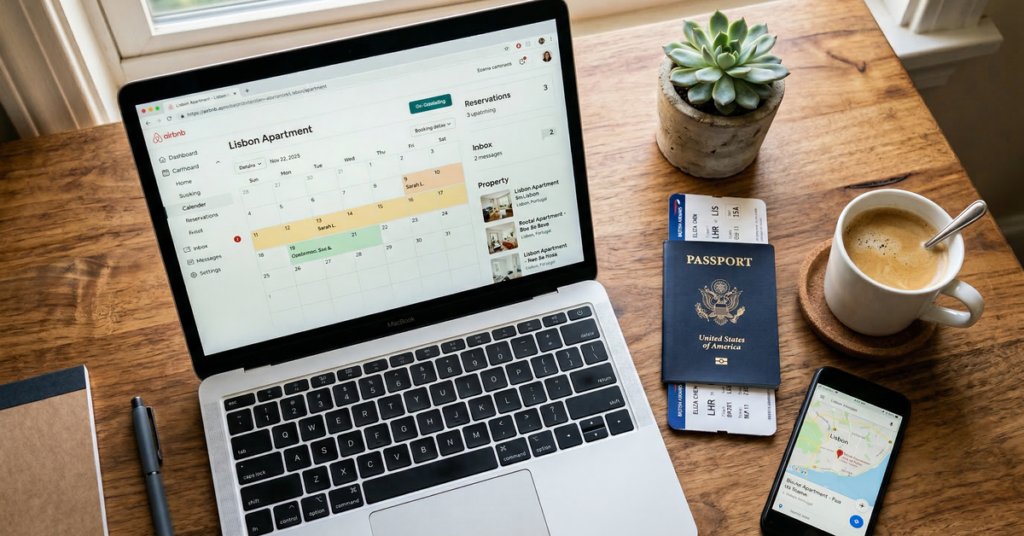
You manage an Airbnb remotely by combining self-check-in, automated guest messaging, booking-triggered cleaning, a local team that can act without asking you first, and a weekly review of everything the automation did not settle. None of that requires you to be in the same country. All of it requires that every job has a named owner and a deadline before the guest lands.
With more than one listing, one thing changes and it changes everything: the same event now happens twice on the same morning. Two checkouts at 10:00, two cleaners, two arrival times, and one message thread that never says which unit anybody means. The fix is dull — one name per unit used in every system, one task queue, one calendar — and it has to exist before the second listing goes live, not after the first mix-up.
I work on the product side at BnBGenius, so here is the boundary before the advice. We answer guest messages on Airbnb and VRBO around the clock, open cleaning and repair tasks after checkout, answer guest calls with a voice agent, ask the guest for a review and publish yours, and sell empty nights, early check-in and late checkout. We do not sync calendars, we are not a channel manager, and we do not do dynamic pricing, owner accounting, direct bookings, SMS, WhatsApp or Booking.com. Where this page needs one of those, I name the kind of tool that does it instead of pretending we cover it.
How Do You Manage an Airbnb Remotely?
The sequence starts when the reservation is confirmed, not when the guest arrives. Seven steps, each with an owner and a deadline:
- Confirmation. Tell the guest what will arrive later and when. Read the reservation for occupancy, pets and early-arrival hints — anything that changes the clean.
- Access. Issue a code for that stay only. Test it from wherever you are, and make sure one local person can open the door another way.
- Turnover. Create the cleaning task from the departure date, carrying the unit name, checkout time, next arrival time, checklist, supply notes and the photographs you expect back.
- Arrival information. Directions, parking, access steps, house rules, and the number to call. Written for that unit — a generic answer sends a guest to the wrong door.
- The stay. Let software answer routine questions. Route safety, access, water, power, noise and damage to a person, under a rule written before the night it is needed.
- Checkout. Remind, then kill the guest code, then confirm the cleaner has accepted the turnover. In that order.
- Close. Read the turnover photographs, log damage, ask for the guest review and publish yours before the window shuts — how the 14-day review window works.
Petra lives in Rotterdam; her 4 units are in Knoxville, six hours behind her. One Tuesday morning held three separate events: Depot-2A checked out at 10:00, Ridge-1 had a guest arriving at 15:00, and the guest at Maple-3B reported a dripping tap at 11:30. Three events, three records, three different owners — a cleaner, a guest and a plumber — and the only thing keeping them apart is the unit name on each record. Run the same morning through one message thread and the cleaner reads “the tap is leaking” at 11:32, drives to Depot-2A, finds a dry sink there, and Maple-3B’s tap is still dripping at 15:00 — by which time Petra is busy with the arrival at Ridge-1.
Self-check-in removes the airport run, not the planning. Batteries die, guests mistype codes, doors swell, and a lock that answers your phone at noon can be offline at 02:00. Give each guest a code that works for their stay only, each regular worker their own code, and the emergency contact a way in that does not depend on the internet. We do not control smart locks: that comes from the lock’s own app or an access platform, and that platform — not a message thread, not a note in a spreadsheet — stays the authority on which codes are live.
Messaging works in two layers. Scheduled messages cover the predictable moments: confirmation, arrival details, checkout, review request. Responsive messaging covers the question you cannot schedule, because the answer depends on what the guest asked and which unit they are standing in. BnBGenius answers those on Airbnb and VRBO around the clock, but it answers out of the property notes you gave it — if Ridge-1’s parking note is wrong, the reply is wrong at 3 a.m. and wrong at scale. Both layers are set up in Airbnb automated messages and the check-in and checkout templates.
The layer hosts drop first is supervision. Petra spends about 20 minutes each Monday on six things: turnovers due this week, open repairs, access exceptions, questions the AI escalated to her, review deadlines, and empty nights. Twenty minutes on a fixed day beats a dashboard nobody opens until a guest complains, and I would defend that slot before I bought another tool.

How Do You Run an Airbnb Remotely Day to Day?
Day to day the work splits in two, and the split is not negotiable. Software sends the message, opens the task, records the status, shows the reservation, asks for the review and routes the problem. It cannot look under the sink, reset a breaker, carry out the rubbish, change linen, or tell you whether the smell has gone.
| Remote software work | Local physical work |
|---|---|
| Scheduled and responsive guest messaging | Cleaning, linen, restocking, walking the rooms |
| Opening turnover and repair tasks | Doing the turnover or the repair |
| Holding the photographs and the task status | Taking today’s photographs at the property |
| Escalating an access failure | Opening the door when remote access fails |
| Asking for and publishing reviews | Checking the physical claim the review is about |
| Answering routine calls with a voice agent | Attending a safety or property emergency |
The smallest roster I would run a remote unit on has 6 roles: primary cleaner, backup cleaner, handyman, plumber, electrician, and an emergency contact or co-host. One person can hold two of them. What cannot overlap is the answer to “who is coming, and by when” — if the handyman is also the emergency contact, write down which number the guest gets, which faults justify a same-day visit, and who takes over while he is on another job.
The Saturday that tests the roster: Petra’s primary cleaner wakes up ill at 07:40, two units check out at 10:00 and check in again at 16:00, and the guest at Fourth-4 writes that half the lights are dead. Three jobs, two trades, one morning — the backup cleaner takes both turnovers, the electrician takes Fourth-4. Sent as one group message instead, that morning produces two cleaners at one unit, nobody at the other, and an electrician who assumed the handyman had it.
Give every regular worker their own lock code rather than one staff code everybody knows. When Petra’s backup cleaner stopped working with her, she deleted 1 code: the other 3 workers noticed nothing and no guest code changed. A shared staff code turns the same departure into 4 changes and a week of people locked out of units they are meant to clean.
Photographs are the remote host’s only verification. Ask for the same 7 shots after every clean — entrance, kitchen, each sleeping area, each bathroom, the amenity the listing sells on, the supply cupboard, and the known weak point — taken that day, not reused from the last turnover. The room-by-room work belongs in the Airbnb cleaning checklist, and assigning it without a text chain is covered in the cleaning-team workflow.
Escalation is about severity, not about who happens to read the message. Three lanes are enough. Routine: a missing pan, a parking question, a repair that can wait for the empty day. Urgent: a guest cannot get in, an essential appliance has failed, a leak is getting worse. Emergency: fire, suspected gas, flooding, live electrical danger, a threat to someone’s safety — where the guest or the local contact calls the emergency services first and tells you second. Petra’s rule is that anything in the urgent lane reaches a human within 15 minutes, day or night, and the routine lane waits for the next turnover.
BnBGenius covers part of that and none of the rest. It answers supported guest messages around the clock, opens cleaning and repair tasks after checkout, answers guest calls through its voice AI agent, asks for the guest review and publishes yours, and takes instructions from Telegram. It does not reach SMS, WhatsApp or Facebook Messenger. It is not the cleaner, the electrician, the emergency responder or the co-host, and no software is.
Installation is a Chrome extension, about 5 minutes, no API keys and no password handed over: it reads the dashboard you are already logged into, in your own browser. No PMS is required to install it, which is a different statement from doing what a PMS does. We do not sync calendars, block inventory across channels, set prices or keep owner books. Whether you need a PMS at all and what AI property management actually covers draw that line where it really sits.
How Do You Manage Multiple Airbnb Listings and Properties?
Multiple listings need four shared surfaces and one convention: a portfolio calendar, an inbox that keeps the property context, a knowledge base per unit, a task queue — and a unit name that never changes between them. The convention is the part hosts skip, and it is the part that fails at 10:00 on a Saturday.
Name the unit once and use that name in the booking account, the lock app, the cleaning tool, the maintenance log, the books and every message to staff. “Blue Apartment” is not a name if two of them are blue. “Harbor-2B-East” tells a cleaner the building, the unit and the entrance, and it survives being read aloud over a bad phone line.
Then keep the knowledge apart. Every unit has its own access route, parking, Wi-Fi name, appliance quirks, bin day, house rules, extinguisher location, vendor list and escalation note. The failure here is quiet: the parking instruction written for Depot-2A becomes the portfolio’s default answer because it is the one asked most often, and the Ridge-1 guest circles the block for 20 minutes at midnight.
Petra’s worst morning was ordinary arithmetic. Three of her 4 units checked out at 10:00. At 10:20 a guest at the fourth asked about parking, at 10:45 a cleaner photographed a broken chair, and at 11:00 an early-arrival request arrived. Six records before noon across 4 units, each needing a different person to act. With the unit name on all six she cleared them from Rotterdam in one pass; without it, the same six messages are a guessing game about which building anybody is standing in.
We cover part of that: supported messaging, tasks, voice calls, reviews, and the upsells — empty nights, early check-in, late checkout. We do not supply the portfolio calendar. We do not sync calendars and we are not a channel manager, so the calendar view stays with the booking channels’ own tools or a PMS. Dynamic pricing, owner accounting and smart-lock control are three more jobs we do not do: start with the pricing tools, Airbnb accounting and tax software, and maintenance tracking when the spreadsheet stops holding.
I count cost by job and by unit, not by how many logos are in the stack. BnBGenius Pro is $10 per month, where a unit is one rentable place — the same place offered on two marketplaces is still one unit. Petra’s 4 units are 4 × $10, or $40 a month. Voice Concierge on all 4 adds 4 × $7, or $28, which brings it to $68. The free tier covers the first 500 messages with every function on and no card, which is long enough to find out whether your property notes are actually right.
That number does not move with the booking, and this is where software and a manager part company. A manager is paid a share of what the unit earns: One Fine BnB, which has run other people’s rentals since 2010, publishes three models priced on rental revenue — Off-Site Partner at 10%, Full Service at 20%, Full Service Pro at 30%. Read the label before the number: 10% buys the off-site model, and full service starts at 20%. On that basis a strong July costs more than a slow February — by design, because the manager carries the work either way. Petra’s 4 units cost 4 × $10 in July and the same in February, and the trade is plain: she keeps the percentage and she keeps the job of hiring and supervising the people who do the physical work.
Cleaning coordination is worth pricing on its own, because it buys people rather than replacing the stack. Turno bills by billable property and by how the cleaner was sourced: on its published rule, 3 properties cleaned by outside cleaners come to 3 × $10, or $30 a month, while a single property with an outside cleaner sits at $0 under its stated threshold. Turno also runs a cleaner marketplace and real-time problem reporting, and its Quality Center reads ratings and guest reviews; it does not write to guests or answer reviews for you. The Turno review and Turno against BnBGenius set out the whole boundary.
Order matters more than tooling. Name the units, write the unit-specific notes, give every job an owner, and only then automate. Automation over an undocumented portfolio simply delivers the wrong instruction faster, to 4 units instead of 1.
How Do You Manage Multiple Airbnb Accounts Safely?
Keep ownership accounts separate only where ownership, contract or tax status genuinely requires it — and never solve the resulting access problem by sharing a password. Grant listing-level co-host or team access instead, so each person holds their own identity and you can take it back one person at a time.
A shared login fails in four specific ways: nobody can tell who did what, everyone sees every listing, two-factor authentication becomes a group chat, and one leaver forces a credential change on everybody who stayed.
- Unique user access. Each co-host or team member signs in as themselves, never as you.
- Two-factor authentication. On for ownership and administrative accounts, with the recovery method guarded as carefully as the password.
- Documented permissions. Which units, which functions, who approved it, and why the person needs it.
- Immediate removal. Platform, lock, documents, email and chat revoked the day someone leaves or changes role.
Petra’s map is 4 units and 4 people. Her co-host covers 2 units while she sleeps. Two cleaners see only the turnovers assigned to them. The handyman sees tasks for all 4 units and none of her payouts. That is 4 permission sets, written down once and revoked one at a time. A shared password would have handed all 4 units to all 4 people, plus anyone they forwarded it to.
The register I keep is one line per person: role, which units, platform access, lock codes, documents, who approved it, the date access ended. It does not need to be elaborate, it needs to be current, and it needs re-reading after every staffing change.
Platform access is not property access, and that gap is where offboarding leaks. Removing a co-host from a listing does not remove a lock code, a shared drive, a cleaning app login or a group chat. Run it as a drill before it matters: pick 1 worker and list every system they can still reach. For Petra’s backup cleaner the list ran to 6 — booking account, lock app, task tool, a shared checklist document, an email thread and a chat group — and 2 of the 6 would have survived the obvious offboarding.
The same applies to devices. An owner account left signed in on a tablet that lives in the property is a shared login with extra steps, and recovery codes printed in the welcome folder are a password on the kitchen counter.
Our own installation is built on this principle rather than around it: the extension runs in your browser, on the account you already control, with no API keys and no password given to anyone, in about 5 minutes. What it does not do is manage your platform permissions, issue or revoke lock codes, or remove a former cleaner from anybody else’s system. That work stays with you. How Airbnb co-hosting works and co-host access on VRBO cover the permission side of each marketplace.
How Does Multi-Calendar Management Work for Airbnb Hosts?
A multi-calendar puts every unit’s reservations, blocked dates, arrivals, departures and turnover gaps in one grid, so a same-day departure and arrival are visible without opening 4 listings one after another. The grid is the easy part. What feeds it decides whether it can be trusted.
Ask of any calendar: what data moves, in which direction, how often it refreshes, and which system wins when two records disagree.
| Method | What it moves | What it costs you |
|---|---|---|
| Direct API connection | Reservation and availability data through an authorised integration | Coverage depends on what each channel opens up to that integration |
| iCal exchange | Generally availability blocks, not full reservation detail | Not instant, and thinner data — the larger double-booking risk |
| Manual updates | Whatever a person remembers to block or open | Every extra calendar is another chance to be late or wrong |
iCal is where remote hosts get hurt, because the view looks complete while the data behind it lags. Petra runs 4 units on 2 channels, which is 8 listing-channel calendars — 4 × 2 — and 8 surfaces is enough for one stale refresh to sell the same Friday twice. An API connection is a deeper link, though what it actually carries still depends on the platforms and the software at both ends.
A calendar earns its place if it answers six questions at a glance: which units leave the same morning, which arrivals follow a same-day departure, where the 1-night gaps are, which dates you blocked yourself, which reservation changed, and who is cleaning. Ours answers none of them. BnBGenius does not provide a multi-calendar, does not synchronise calendars, and is not a channel manager; that view comes from the channels’ own calendar tools or from a PMS or channel manager. The options are in syncing Airbnb and VRBO, what a channel manager actually does, and channel managers sized for small hosts.
Test it rather than trusting a green dot. Block 1 future night in whichever system you have named the source of truth, watch the other calendar, then unblock it — and write down, where the cleaner and the co-host can read it, which system wins if the two ever disagree.
One rule I would not bend: messaging never becomes the booking authority. A guest asking to stay two more nights is a good conversation for an AI to have at 01:00 — it can answer, quote the empty nights, hold the thread — but the extension is not real until the reservation system shows the new dates and you have approved them. The routine is handed over; the decision is not.
How Can You Manage Airbnb and Booking.com Reservations in One App?
You put Airbnb and Booking.com reservations in one app by running a PMS or channel manager that connects directly to both and treating that system as the reservation source of truth. BnBGenius is not that app: we do not support Booking.com and we are not a channel manager, so this capability is a separate purchase.
The setup is mechanical, and a step skipped here is the double booking three weeks later:
- Confirm the connection. Check the system supports both channels for your account type, listing type and the functions you need, not just “supports Booking.com” on a feature page.
- Map listings. Tie each channel listing to the right internal unit, comparing address, room type, occupancy and name.
- Map rates. Decide which rate plans correspond across channels, and whether taxes, fees and commission need channel-specific handling.
- Map restrictions. Minimum and maximum stay, arrival and departure rules, closed dates, advance-booking limits.
- Map availability. Name the system that controls inventory, and decide how a manual block travels from it.
- Test. Use future dates, check both directions, and write down what staff do when it errors.
The mapping is where the arithmetic bites: 3 units on 2 channels is 6 external listing records pointing at 3 physical places. Map Unit A’s record to Unit B internally and the system closes the wrong inventory every time that listing sells — quietly, because both units exist and both calendars look busy.
Rates and availability are different questions. Availability answers whether a date can be sold; rates answer at what price and under what conditions. A connection that pushes one is no proof it maps the other, and “connected” is a status, not a test.
So run the test end to end. Block a future date in the source of truth and look at both channels. Change one restriction and find where it surfaces. Create a permitted test reservation if your account rules allow one. Then reverse everything and confirm the inventory reopens. Write the expected behaviour down so the next person can diagnose it without calling you.
Before buying, list the jobs you actually need. A host with 4 units usually needs reservations and availability in one place and nothing more. A larger operation may also want a direct-booking website, owner reporting, accounting exports, staff permissions and rate rules — that is a PMS decision and we are not in it. Judge us on messaging, tasks, calls, reviews and upsells, which is the list we publish. Syncing Airbnb and Booking.com calendars covers the mechanics, and apps for Airbnb hosts, VRBO tools by job and Airbnb automation software sort the market by job, which is the only way to see the overlaps.

How Do You Manage an Airbnb Listing in Bali Remotely?
To run a Bali listing remotely you need an on-island co-host or villa manager with real authority, and behind that person cleaners, a maintenance contact and — for most villas — a pool or garden vendor. Software moves information. It cannot look at the pool, smell the drain, or meet the guest standing outside at 23:00 while you are asleep in another hemisphere.
Write down what the local manager may decide alone: approve a repair up to an agreed limit, buy supplies, move a guest, contact the authorities, or stop selling nights when something is unsafe. If every decision waits for your morning, the role is a messenger and the guest waits 6 to 12 hours for an answer that was always going to be yes.
A workable villa roster is 5 people: 1 on-island manager, 2 cleaners who can cover for each other, 1 maintenance contact and 1 pool or garden vendor. They are not all busy every day. Each has a named backup, and the guest is given exactly 1 number.
Verify turnovers with photographs taken that day. A villa list runs longer than an apartment’s: bedrooms, bathrooms, kitchen, entrance, outdoor seating, pool surface and water level, garden, water supply, the router and its lights, air conditioning, keys, and anything visibly damaged — 12 shots before the next arrival, and the same 12 after a storm or a long vacancy. A task marked complete by somebody who never walked the garden is not verification.
Write the power and internet procedure before the night it fails: where the router lives, which devices are safe to restart, who can reach the villa and in how long, what the guest is told, and which vendor is called. Failures are rarely single. One evening message about “no wifi and no power” is 1 guest, 2 services and at least 3 actions — confirm what is actually out, wake the on-island manager, and get the utility or a qualified vendor moving. Nobody should be talking a guest through an electrical panel over chat.
Then the part no software answers. Indonesian and Bali rules on licensing, zoning, tax and accommodation type change, and they depend on the property, the ownership arrangement, the building and how the business is run. I would not take a licensing answer from a hosting article, a forum post 2 years old or a software dashboard: verify current requirements with qualified local authorities and advisers. If you are renting a villa in order to relist it, confirm the lease, the building rules and the local regulations allow it: where rental arbitrage stands legally. Choosing the market is a separate decision from being able to operate in it, and picking a short-term rental market is the earlier one.
BnBGenius is remote-operations software, not an on-site Bali manager. It answers supported guest messages around the clock, opens cleaning and repair tasks after checkout, takes guest calls with its voice AI agent, asks for and publishes reviews, and sells empty nights, early check-in and late checkout. It cannot inspect the villa, supervise the pool vendor, verify a licence, open a lock, synchronise a calendar or do your accounting.
For 2 Bali units, BnBGenius Pro is 2 × $10, or $20 a month; Voice Concierge on both adds 2 × $7, or $14, for $34 in total. That is the software line and nothing else. It does not include the manager, the cleaners, the tradespeople, the pool, the garden, licences, tax advice, lock hardware, a channel manager, a pricing tool or an accounting system — and on an island operation the people cost more than the software by a wide margin.
Launch only after a test stay. Book the villa to yourself for 1 night: follow your own arrival instructions, send a turnover task, insist on the photographs, call the support number, pull the router out of the wall, and ask the backup cleaner to explain the escalation rule in her own words. If 1 person is the only one who knows something, that is not a team, it is a single point of failure with a phone.
The finished model fits in one breath: reservations and availability live with the booking or channel-management system, BnBGenius runs the guest messaging, tasks, calls, reviews and upsells it actually provides, the on-island team does everything physical, and qualified local advisers decide what is legal. Every job has an owner, and none of those owners is a piece of software pretending it can stand in the doorway.
