
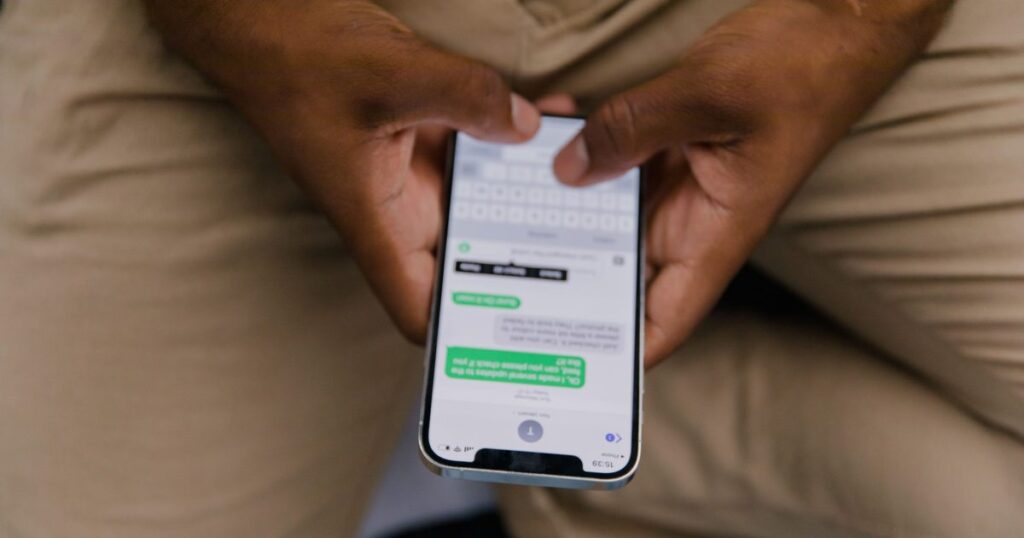
Airbnb automated messages can send fixed information at reservation milestones, while quick replies let a host reuse prepared answers manually. Neither feature reads an unexpected question and writes a contextual answer. I separate those jobs here because choosing the wrong tool leaves a host with a polished template but the same inbox workload.
I will use one consistent worked example throughout: Nadine manages 4 units in Asheville on Airbnb only. Her figures are illustrative assumptions, not industry benchmarks, so you can replace them with your own booking and message counts. For related operational context, see our guides to how Airbnb works for owners, Airbnb automation, and managing multiple units remotely.
What can you actually automate on Airbnb?
Airbnb itself can automatically send a prepared message according to a reservation trigger. It also provides quick replies, which store reusable text but still require the host to choose and send the reply. It does not turn either feature into a conversational agent that understands whatever the guest has just written.
For Nadine’s 4-unit example, I divide messaging into four distinct jobs:
- Scheduled messages: A fixed message sends at a selected point in the reservation. This replaces remembering to open the inbox and send the same arrival or departure information manually.
- Quick replies: A saved response is selected when Nadine needs it. This replaces retyping a recurring answer, but it does not replace reading the question or pressing send.
- Contextual replies: A guest might say the door code failed, ask whether an unregistered visitor can stay, or report water under the sink. The native scheduling tool does not interpret those messages and decide what to say.
- Work outside the inbox: A scheduled message does not become calendar synchronization, pricing, accounting, or a direct-booking system. Those are separate operational categories covered in guides such as Airbnb pricing tools, Airbnb accounting software, and whether you need a PMS.
Suppose Nadine wants every reservation to receive a confirmation, arrival information, a mid-stay check-in, departure instructions, and a post-stay thank-you. That is 5 predictable sends per booking. Native scheduling is suited to those fixed sends. If a guest responds to the arrival message with “I cannot find the lockbox,” that becomes a new conversation rather than another scheduled event.
The practical definition of “how to automate Airbnb” is therefore narrower than it first appears: automate predictable delivery, save reusable wording for recurring manual questions, and preserve a separate path for messages requiring judgment. Our broader Airbnb automation software comparison explains the other software categories without treating all automation as the same job.
What is the difference between scheduled messages and quick replies?
Scheduled messages fire because a reservation reaches a selected milestone; quick replies appear because a host chooses a prepared response during a conversation. I checked this distinction and the workflow against the linked Airbnb Help Center on 11 September 2026. Airbnb documents one feature with a scheduling switch rather than two, and the switch is what matters: scheduled quick replies are sent in the listing’s time zone, and a “Send for last minute bookings and short stays” toggle decides what happens when the scheduled moment has already passed — off, the message is skipped; on, it goes at the time of booking.
| Question | Scheduled message | Quick reply |
|---|---|---|
| What starts it? | A reservation-related schedule selected by the host | The host selects the saved response |
| Does it send without a manual click at delivery time? | Yes, when the configured schedule applies | No |
| Can it use supported reservation or listing details? | Yes, through the fields described by Airbnb | Yes, where supported by the quick-reply editor |
| Can it understand a new guest question? | No | No; the host decides whether the saved answer fits |
| Best use | Information that should be sent at a predictable time | Recurring questions whose timing is unpredictable |
Here is a 2-message comparison. Nadine’s departure reminder belongs in scheduled messages because every departing guest needs it at a predictable point. Her answer about nearby luggage storage belongs in quick replies because only some guests ask and the question can arrive at different times.
The content can look similar while the operating logic is different. “Checkout instructions are in your trip details” can be scheduled before departure. “Yes, you may leave your bags until the cleaner arrives” should not be sent to every guest merely because it has been saved.
The phrase “saved reply” is often used informally, but the linked Airbnb documentation calls the reusable feature a quick reply. That distinction matters when troubleshooting: a quick reply that has not been scheduled will remain available for manual use, but it will not send itself.
I recommend keeping the two libraries visibly different. Nadine can name her 5 scheduled messages by reservation stage and name her quick replies by question, such as parking, pets, luggage, visitors, and heating. That naming convention is my recommendation rather than a platform requirement. More ready-to-adapt wording appears in my Airbnb message templates.
How do you set up Airbnb automated messaging?
The native setup starts in the hosting inbox and uses the quick-reply controls described in the Airbnb scheduled-message instructions. I would reserve about 20 minutes for 5 messages: enough time to compose, check the schedule, verify the selected units, and read every message as a guest would.
- Open the hosting inbox. Go to Messages and open the quick-reply area identified in the linked Airbnb instructions.
- Create a quick reply. Give it an internal title that identifies its purpose. Nadine might use “Arrival information” rather than a vague title such as “Message A.”
- Write the guest-facing text. Put the most important fact first. A phone screen is a poor place to bury the entry instructions beneath a long welcome paragraph.
- Insert supported details. The editor described by Airbnb can use available reservation and listing information, including items such as the guest’s name and trip details. Preview the result rather than assuming every field contains suitable information.
- Add a schedule. Choose the reservation event and whether the message belongs before or after it. This is the decision most likely to put correct wording at the wrong moment.
- Select the applicable units. Nadine has 4 units, so she must verify that information written for one unit does not go to a guest staying in another.
- Save the reply and schedule. Repeat the process for each predictable stage of the stay.
- Test the sequence on paper. List the messages chronologically and read them together. Check that the guest does not receive departure instructions before arrival or two versions of the same information.
The schedule direction deserves special attention. “Before check-in” and “after check-in” are separated by one setting but create very different experiences. If Nadine intends to send directions before arrival and chooses the wrong side of the event, the message can be perfectly written yet useless when the guest is driving to the property.
I also check whether static text duplicates dynamic information. If the message says a particular arrival time while the reservation information says something different, the guest sees a contradiction. Use a supported field where appropriate, and keep static wording for facts that are genuinely stable.
After setup, Nadine should review the scheduled queue described by Airbnb whenever a reservation changes. A schedule is an instruction, not an editorial review. Hosts still own the accuracy of door details, parking directions, departure requests, and property-specific guidance.
If the larger goal includes response coverage rather than fixed sends, read how to maintain your Airbnb response rate and how to handle late-night guest messages.
Which messages should you automate first?
I would start with 5 messages whose timing is predictable. The copy below is usable without empty name or date placeholders; where reservation details matter, it directs the guest to the trip information maintained on the platform.
Booking confirmation
Trigger: After the reservation is confirmed.
Copy: “Thanks for booking. I’ll send the arrival details closer to check-in. In the meantime, please review the house rules and trip details, and message me if anything about your plans changes.”
Questions it removes: Whether the booking was received, when instructions will arrive, and where the guest should check the reservation details.
Arrival instructions
Trigger: Before check-in, with enough time for the guest to read it before travelling.
Copy: “Your arrival information is ready. Please open your trip details before setting out and review the address, check-in time, and entry instructions. Save the instructions on your phone in case your connection is weak when you arrive. If anything in the trip details is unclear, reply here before travelling.”
Questions it removes: Where to find the address, entry process, and check-in information.
Mid-stay check-in
Trigger: After the guest has had time to enter and use the unit.
Copy: “I hope you’re settled in. Please let me know if anything needs attention during your stay. If you report a problem, include where it is and what you can see or hear so I can respond appropriately.”
Questions it removes: How to report a problem and what information the host needs.
Departure reminder
Trigger: Before checkout.
Copy: “A quick reminder to review the checkout time and departure instructions in your trip details. Before leaving, please check that you have your personal belongings and follow the posted instructions for keys and access. Message me if you need to discuss a departure issue.”
Questions it removes: Where to find checkout time, what to do with access items, and how to raise an exception.
Post-stay thank-you
Trigger: After checkout.
Copy: “Thank you for staying. I hope you had a comfortable trip home. If you have private feedback about the unit, please send it here so I can review it.”
Questions it removes: Where to send private feedback and whether the stay has been acknowledged.
Now the arithmetic. Assume Nadine receives 12 bookings per month. Sending 5 messages per booking creates 60 scheduled sends. If manually finding, checking, and sending each message takes her an average of 90 seconds, the delivery work is 5,400 seconds, or 90 minutes, per month. Those are assumptions in this worked example, not figures supplied by Airbnb.
The templates do not eliminate all correspondence. They remove the act of repeatedly initiating the same messages. For more examples, use the full message-template library. For the post-stay side, see host review templates and Airbnb review automation.

What are the limits of Airbnb’s own automation?
A native scheduled message sends prepared text on a timer. It does not read the guest’s latest message, identify the problem, inspect the conversation, and compose a situation-specific answer. At 02:00, it can deliver something already scheduled, but it cannot use scheduling alone to diagnose why a guest cannot enter.
That boundary applies to all 5 messages above:
- Booking confirmation: It can set expectations, but a question about bringing an additional person still needs a decision.
- Arrival instructions: It can point to the correct instructions, but a failed lock or inaccessible entrance requires investigation.
- Mid-stay check-in: It can invite feedback, but a report about heating, noise, or water requires a contextual response and possibly action.
- Departure reminder: It can repeat the normal process, but a request to leave later requires a decision rather than another copy of the rule.
- Post-stay thank-you: It can acknowledge the stay, but detailed criticism deserves to be read and handled individually.
For a concrete workload model, assume Nadine’s 12 monthly bookings produce 7 follow-up situations: two arrival questions, two requests about timing, two maintenance reports, and one complaint. The timers still send their 60 routine messages, but Nadine or another responder must handle those 7 conversations. I am using these figures to expose the arithmetic, not claiming that every host receives the same pattern.
Scheduled messages can also fail operationally when the configuration and reservation no longer match. If Nadine changes the arrival process for one of her 4 units but edits only the text used by another unit, automation reliably sends the wrong information. The remedy is not a more enthusiastic template; it is checking unit selection, content, reservation timing, and the scheduled queue against the Airbnb workflow.
Messaging automation also does not become a PMS. Calendar synchronization, channel management, direct bookings, pricing, and owner accounting are different capabilities. Our comparisons of channel managers for Airbnb and VRBO, channel managers for small hosts, and AI property management explain where those boundaries sit.

Which messages should never be automated?
I do not use a fixed, unsupervised template to settle refunds, answer substantive complaints, pursue damage claims, or issue a rule reminder that is actually a warning. In a 4-case example, the cost is not merely awkward phrasing; it is an extra round of messages, delayed action, missing context, or an unnecessarily adversarial record.
Refund conversations
A guest asking for money back is asking for a decision. A scheduled “Thanks for your message” does not establish what happened, what amount is disputed, or what evidence exists. In an illustrative case, an automatic answer can turn 1 decision into 3 exchanges: the template, the guest’s frustrated clarification, and the host’s eventual substantive reply.
The host should read the reservation and use the applicable platform process. The Airbnb Resolution Center guidance is the appropriate first-party reference for that process.
Complaints about the stay
“The bedroom is cold” could mean the controls are unfamiliar, the equipment has failed, or a window is open. A generic comfort message cannot distinguish among those causes. The cost of automating the answer is delayed diagnosis: after 2 canned replies, the host may still not know whether someone needs to visit the unit.
I would acknowledge the specific issue, ask only the questions needed to act, and state the next step. The mid-stay scheduled message can invite the report, but it should not pretend to resolve it.
Damage claims
A damage conversation depends on evidence, timing, responsibility, and the platform’s process. Sending the same accusation to every situation risks stating more than the host can support. The Airbnb guidance for property damage should be checked before acting.
In a simple example, 1 unexplained stain and 1 broken chair are not interchangeable incidents. A template that labels both as intentional damage eliminates the distinction before the host has reviewed either case.
Warnings disguised as reminders
A normal scheduled reminder might say where quiet-hour information appears. A warning says the host believes a current behaviour must stop. Those are different messages. If Nadine receives 2 reports about noise, she should verify what is happening and address the actual reservation rather than sending every guest another generic house-rule paragraph.
The cost of the wrong template is ambiguity. The guest may not understand that action is required, while the conversation record fails to show what the host observed and requested. Sensitive exchanges need specificity, proportion, and a person accountable for the decision.
How do you automate messages across Airbnb and VRBO together?
A property listed on Airbnb and VRBO has two platform inboxes and two native template environments. Updating one does not update the wording stored in the other. A host running the same property on both, with 5 routine messages each side, keeps 10 platform-specific versions to inspect whenever access instructions changed.
I will not reproduce the mechanics of the second platform here; our VRBO automated messages guide covers that workflow. For hosts comparing the channels themselves, see Airbnb versus VRBO for hosts and VRBO software and tools.
BnBGenius answers guest messages on Airbnb and VRBO around the clock. Pro costs $10 per month per unit. The free tier includes the first 500 messages, all features, and requires no card. A unit is one rentable accommodation, so the same accommodation offered on Airbnb and VRBO counts as 1 unit, not two.
BnBGenius installs as a Chrome extension in about 5 minutes, without API keys, password sharing, or a required PMS. It can also be controlled through Telegram. Those capabilities address guest communication across the two supported platforms; they do not merge the platforms into a PMS.
We do not provide a channel manager, calendar synchronization, direct bookings, pricing tools, or owner accounting. We also do not support SMS, WhatsApp, Facebook Messenger, Booking.com, or Expedia. A host who needs Airbnb and VRBO availability synchronised needs a separate method, such as the one described in how to sync Airbnb and VRBO calendars.
BnBGenius can also request a guest review, publish the host’s review, create cleaning and maintenance tasks after checkout, answer guest calls through its voice AI agent, and sell empty nights, early check-in, and late checkout. Those are specific automation functions, not a claim that we replace a PMS. Relevant guides include Airbnb upsell tools, voice concierge tools, and vacation-rental task software.
How much time does automation actually save?
The honest answer comes from counting which messages a timer can send, not treating every inbox conversation as automatable. I will finish the Nadine example using the same 4 Asheville units on Airbnb only.
- Bookings per month: 12
- Total messages Nadine would otherwise send per booking: 9
- Average manual handling time per outgoing message: 90 seconds
- Predictable messages suitable for scheduling per booking: 5
- Messages still requiring manual or contextual handling per booking: 4
Without scheduled delivery, 12 bookings multiplied by 9 outgoing messages gives Nadine 108 manual sends. At 90 seconds each, that is 9,720 seconds, or 162 minutes, of message handling.
Scheduling the predictable set gives her 12 multiplied by 5, or 60 automated sends. At the same assumed handling time, that removes 5,400 seconds, equal to 90 minutes, from the recurring monthly delivery work.
The remaining 48 messages still take an assumed 72 minutes. That remainder is important: scheduled messages reduce repetitive sending, but they do not erase questions, exceptions, complaints, or operational decisions.
If Nadine spends the suggested 20 minutes building and checking her first 5-message sequence, her illustrative first-month net reduction is 70 minutes. In a later month with the same reservation pattern and no template changes, the recurring reduction is 90 minutes. If her actual average is three minutes rather than 90 seconds, she can redo the multiplication with three; no generic savings claim is as useful as her own measured handling time.
I would track the result for one booking cycle: total conversations, scheduled sends, quick replies selected manually, contextual answers, and messages corrected after sending. That produces a defensible answer to “how much time does automation save?” while revealing where the remaining workload sits.
The next step depends on that result. If nearly all of the work is predictable sending, native scheduling may be sufficient. If late questions and contextual replies dominate, compare the options in Airbnb automation software and Airbnb apps for hosts. If calls are the interruption, read our AI voice concierge guide. Automation works best when each tool is assigned the job it actually performs, with a person retained for the decisions a timer cannot make.
