

Your Airbnb response rate is the percentage of new inquiries and reservation requests you answer within 24 hours. Answer all of them and it reads 100%. Miss one thread out of 20 and it reads 95%.
Four numbers decide whether yours is healthy. The window is 24 hours. The sample on your dashboard is a rolling 30 days. Superhost is scored separately, on your first reply to each new thread over the past 12 months, and the bar there is 90%. And the working target is one hour rather than twenty-four, because the guest who messaged you is usually waiting on more than one host.
One rule moves those percentages more than any messaging habit: declining a reservation request inside the window counts as a response, and letting the request expire does not. Silence is the only answer that costs you.
Response rate and response time are separate measurements, and fixing one does not fix the other. A host who answers every thread at hour 23 keeps a flawless rate and loses the booking to whoever replied at minute 20. So the rest of this page takes them in order: how the percentage is calculated, what a good response time is, how to cut it, and when it is worth paying somebody else to cover the inbox.
What is your Airbnb response rate, and how is it calculated?
The published response-rate explanation is one sentence long: the percentage of new inquiries and reservation requests you responded to within 24 hours in the past 30 days. Nothing older than 30 days is in it, and the denominator is simply however many new threads arrived inside that window. That is why one missed inquiry moves the number so far on a small listing and barely registers on a busy one: against 4 threads a miss costs 25 points, against 40 it costs 2.5.
Work the arithmetic once and it stops being mysterious. A host receives 20 new inquiries and reservation requests in the relevant period and answers 19 of them inside the window: 19 divided by 20 is 95%. Answer all 20 and it is 100%. There is no partial credit for a fast second message.
The load-bearing word is new. The rate counts first responses to new threads, not every message exchanged during a long conversation. A host who sends six helpful follow-ups after answering the opening question a day late still carries a miss on that thread.
A reservation request adds a decision. Accepting it inside the 24 hours counts as responding. Declining it inside the 24 hours also counts as responding. Letting it expire counts as nothing and pulls the rate down. When a stay does not work (a 1-night request against a 3-night minimum, a party-sized group in a quiet building), I would decline in the first hour rather than leave it sitting.
Now the low-volume case, because it catches hosts out. Suppose the current 30 days hold 6 new inquiries and reservation requests. That 6 is the whole denominator, so one unanswered thread is 5 divided by 6, or 83%. The identical miss among 20 threads is 95%. Same mistake, twelve percentage points apart, decided by nothing except how busy the month was. The window cuts the other way too: because it holds only the past 30 days, that miss drops out of the calculation 30 days after it happened. The number repairs itself; it just will not do it today.
So the percentage is the symptom and the threads are the diagnosis. I open the message history, isolate the new inquiries and reservation requests, mark which ones got a sent first reply inside the window, and then go after the ones that did not: when it arrived, who was meant to be covering that hour, and what stopped the reply. The 95% tells you a number. The one missed thread tells you which part of the process is broken.
The rate also gates recognition, and the Superhost version of it is not the figure on your dashboard. Airbnb calculates that one differently: your first reply to each new host/guest message thread over the past 12 months, assessed quarterly. The Superhost requirements put the bar at 90%. Over a year that is more margin than a single thread — 120 new threads across 12 months leaves room for 12 misses before the count drops under 90% — but it is margin you cannot repair in a month, because every miss sits in a window 12 months long. The difference between the two badges is set out in Guest Favorite versus Superhost, and the qualification process in how to become a Superhost.
Response behavior can also affect where a listing appears in search, though it sits among price, availability, photos, reviews and guest preferences rather than acting as a dial. What the platform actually publishes about placement is in the search-ranking analysis, and the listing-side changes that usually matter more are in Airbnb listing tips.
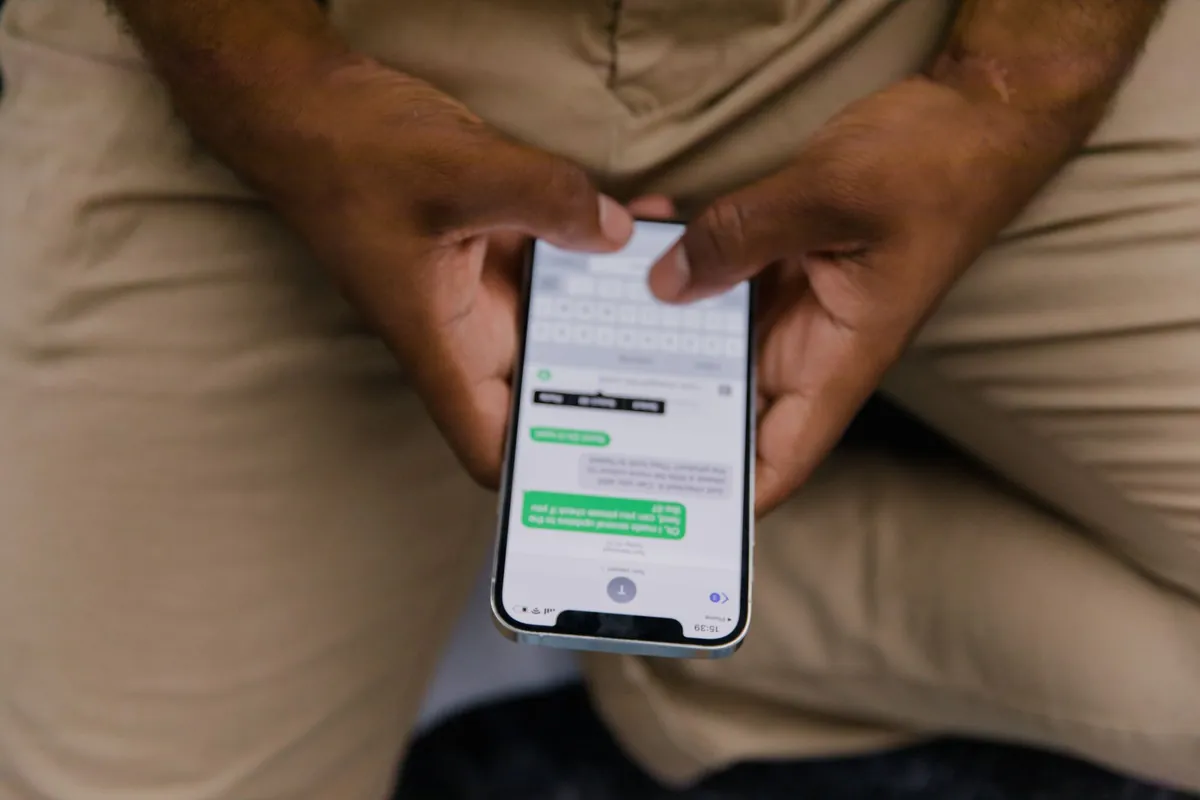
What is a good Airbnb response time?
The deadline and the target are different numbers. The Airbnb response-rate rule gives you 24 hours to answer a new inquiry or reservation request. The target I would actually work to is one hour, whenever an accurate answer can be sent that fast.
The reason is competitive, not procedural. A guest comparing four available homes usually messages more than one of them and keeps browsing while waiting. A reply that lands at hour six is inside the official window and still arrives after the decision was made. A referenced IntelliHost analysis found that listings responding within one hour had about 16% more daily impressions than slower responders. I read that as an observed association rather than proof that the clock alone moves visibility, but as a benchmark it beats aiming at hour 23.
Two hosts, one question, same morning. Host A answers 45 minutes after the message arrives. Host B answers 18 hours after it arrives. Both are inside 24 hours, both keep a 100% response rate, and neither dashboard shows anything wrong. Only one of them was still in the running when the guest booked.
I sort inbound messages into three buckets before deciding how fast is fast enough:
- Immediate factual replies: parking, wifi, the thermostat, checkout time, whether the building has an elevator. Every one of those answers already exists in writing and is current.
- Replies that need a check first: early arrival, late departure, a maintenance visit, whether a cot is free that week.
- Sensitive replies: complaints, refunds, rule disputes, damage claims, safety. Anything where the wrong sentence makes the next three messages worse.
The one-hour target must never turn into guessing. A door code sent in 4 minutes and wrong at 11 PM costs more than the same code sent correctly in 40 minutes, because now the guest is standing outside and the thread is a complaint. When the real answer needs checking, the first reply says the request has been seen and when the answer is coming. That stops the clock in the guest’s head without committing to anything.
Here is the shape of it. A guest asks to move arrival forward by 2 hours. Nobody should promise that before checking the departure and the cleaner’s schedule for that day, so the useful first reply inside the hour confirms the request is being checked and names a time for the answer. The trade-offs on that particular request are in early check-in and late checkout.
Measure response time by shift, not as one monthly average. A listing can average 50 minutes across the month while every message arriving between 11 PM and 7 AM waits until morning: the daytime replies bury the overnight gap inside the mean. The workflow for that window is in handling messages after hours.
I would read the median next to the three slowest threads of the month. The median describes a normal day. The slow threads name the muted notification, the handoff nobody owned, and the hour of the night with no cover. The question worth answering is not how fast replies usually are; it is under what conditions nobody replies at all.

How can you improve your Airbnb response time?
Every new thread needs an owner within the hour: a named person, or an approved automation path. Nothing else on this list works until that is true. I would build it in this order:
- Turn notifications on, on a device that is actually in the room. An alert on a tablet in a drawer is not coverage. Send yourself a test message and confirm that the sound, the lock-screen preview and the app permission all survive it.
- Write quick replies for the questions you have already answered 50 times. Parking, arrival, wifi, the thermostat, checkout, the house rule guests always query. Replace every placeholder with the real detail for the real property before the reply is used once.
- Schedule the predictable messages. Arrival instructions, a check-in reminder, checkout guidance and a post-stay note all hang off booking dates, so they can be set once. The setup is covered in Airbnb automated messages, and the VRBO side in VRBO automated messages.
- Name the backup. Decide who answers while you sleep, drive, or spend a day out of signal. Give that person the current property facts and a written limit on what they may promise.
- Automate only the answers you can verify. Facts that are written down and current can go out on their own. Complaints, refunds, safety and anything uncertain go to a person.
Quick replies and scheduled messages solve different halves of the problem, and hosts often buy one expecting the other. A quick reply removes the typing; somebody still has to open the thread, pick the right text, check it and press send. A scheduled message sends itself, but only against a booking milestone it already knows about.
Here is the gap both leave open. An inquiry lands at 2 AM asking whether a long-wheelbase van fits the assigned parking space. No scheduled message covers it, because the guest opened a thread nobody planned. A saved quick reply may hold the dimensions, but it sits there until a human selects it and sends it. If that does not happen before the 24 hours run out, the thread is a miss, and the guest had booked elsewhere long before the deadline mattered.
Write templates around facts, not promises. “Parking is space B beside the rear entrance, 18 feet long” is useful for as long as it is true. “Early arrival is always available” collides with the first same-day turnover and converts a template into an apology. The structures in guest message templates are worth adapting, but every operational detail in them has to be checked against the actual home.
Then write the escalation rule down, one line per case. A verified factual question goes out immediately. Anything depending on cleaning progress goes to whoever runs the turnover, which is the handoff described in running a cleaning team without text chains. Damage, safety or money goes to the accountable host, at any hour. Speed applied to the wrong path creates a larger problem than slowness.
Reservation requests deserve their own line in that rule, because silence is not a neutral act. Declining inside the 24 hours protects the rate; letting the request time out does not. Where the answer is no, the operational move is to decide and send, not to leave the thread alone and hope it disappears.
Backup coverage can be simple. One host takes the inbox from 7 AM to 11 PM and a co-host takes the 8 hours after that, with both knowing where the current facts live and who owns a sensitive reply. What the role covers is set out in the co-host overview, and the wider operating model for hosts who are not local in remote rental management.
After a month, audit the failures instead of the average. If one message was missed because notifications were off, fix the device. If another waited 9 hours because two people each assumed the other had it, the ownership line was never written. If an automated answer went out wrong, the source facts were stale, and automation on that topic should stop until they are corrected.
One caution for hosts on more than one channel: fast replies do not prevent double bookings. BnBGenius does not sync calendars and is not a channel manager, so that job needs a different tool; the options are in the channel-manager overview and syncing Airbnb and VRBO. The same boundary applies to rates: BnBGenius is not a pricing tool and sets no nightly prices, which is a separate purchase covered in the pricing-tools comparison.
Do you need an Airbnb response time service?
Four different things are sold under that phrase: a co-host, a virtual assistant, a property manager, and messaging software. They are not substitutes for one another. The choice comes down to a single question: are you buying judgment, or are you buying coverage?
| Option | What it actually buys | Where it stops |
|---|---|---|
| Co-host | Shared inbox and shared judgment, on terms the two of you agree | Covers the hours that person is awake and the permissions you granted |
| Virtual assistant | Monitoring, templates, escalation and routine admin, on your instructions | Needs documentation, training and an escalation path, or it stalls on anything new |
| Property manager | People, vendors and the physical property, under a management agreement | A whole operating decision rather than a response-time fix, and priced as one |
| Messaging software | Repeatable factual answers, at 3 AM as reliably as at 3 PM | Does no part of the job that needs somebody on site |
| BnBGenius | Guest messages on Airbnb and VRBO around the clock, from a Chrome extension at $10 per unit per month | Not a staffed answering service and not a property management system |
BnBGenius sits in that last row, so the honest description first: it is a Chrome extension, not a staffed human answering service. It answers guest messages on Airbnb and VRBO around the clock from inside your own browser, reading the dashboard you are already signed in to. Installation takes about 5 minutes, with no API keys, no login sharing and no PMS required. Nobody at our end receives your Airbnb password, because the extension never needs one. What that looks like day to day is in the Chrome extension write-up.
Price is where software separates itself from a percentage. The free tier covers the first 500 messages with every function switched on and no card. A unit is one rentable home, and the same home listed on both Airbnb and VRBO stays one unit: BnBGenius Pro is $10 per unit per month, so 3 units cost $30 a month. That $30 is identical in a month with 9 booked nights and a month with 90. A manager’s fee moves with what the listing earns; a per-unit subscription does not move at all.
Now the gaps, named rather than implied. BnBGenius is not a property management system. There is no channel manager in it, no calendar sync, no direct-booking site, no dynamic pricing and no owner accounting. It does not handle SMS, WhatsApp or Facebook Messenger either: the messaging runs on Airbnb and VRBO and nowhere else. A host who needs those jobs should buy the tool built for them, because inbox automation will not grow into one. The starting points are what AI can and cannot replace in property management and whether you need a property management system at all.
That list matters for the cost comparison, which hosts routinely get wrong by lining up subscription prices. A property manager is accountable for people, vendors, emergencies and the building itself under a contract. A virtual assistant watches several queues and follows your instructions. A co-host shares the listing and the judgment calls. Messaging software answers messages. Comparing the monthly figures without comparing the job produces a decision that looks cheap and leaves a hole.
One more caution applies to every tool with an approval step, ours included: a draft is not a response. A suggested reply sitting in a queue at 3 AM has not stopped the clock, and if it is still unsent when the 24 hours expire, that thread counts against the rate exactly as though nobody had looked at it. An approval workflow therefore needs its own notification, its own owner and its own deadline. That is the trade for keeping the last word: the host decides what goes out, and the host has to actually decide.
Whether automation fits at all is a counting exercise, not an opinion. Take last month’s threads and sort them. If 32 of 40 were the same six questions with the same six answers, that is the narrow job software does around the clock, and it is also where most overnight misses come from. If most of them were disputes, exceptions, inspections, or anything needing a person on site within the hour, buy the person. The wider landscape is mapped in apps for hosts and the automation-software comparison.
The arrangement I would actually run is layered. Scheduled messages cover the predictable booking stages. Quick replies shorten the manual ones. Automation takes the verified factual questions at any hour. A named human owns the exceptions, and a co-host or manager takes the work that needs judgment or a physical presence. The wider workflow around that is in Airbnb automation, and for hosts whose overnight problem is the phone rather than the inbox, BnBGenius also answers guest calls with a voice AI agent; the alternatives are compared in voice concierge options.
A 100% response rate is a coverage result, not a personality trait. Every qualifying new inquiry and reservation request gets a sent reply inside the window, on the nights you are asleep, ill or on a plane as well as the ones you are at your desk. Reaching it does not require one particular kind of service. It requires four things: notifications that work, facts that are current, one name against every hour of the day, and a process that survives the primary host being unavailable.
