
How do you automate Airbnb cleaning?
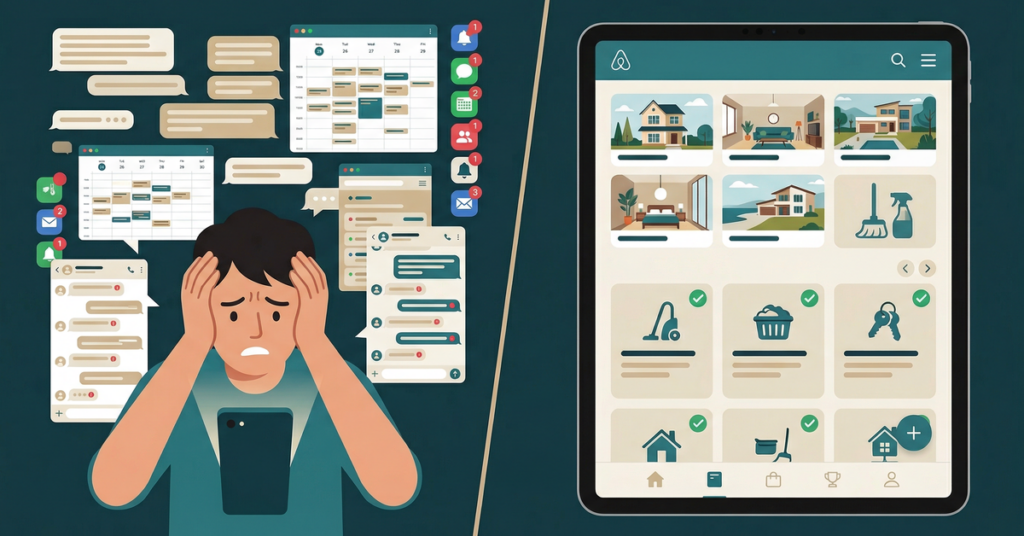
To automate Airbnb cleaning, connect each listing’s booking calendar to a turnover tool that creates a task at checkout, assigns a cleaner, and updates it when reservation dates change.
The important distinction is between sharing dates and automating work. A shared calendar lets a cleaner see that a property is occupied. A turnover tool converts the departure into an assigned job with instructions, notifications, and a completion record. If the reservation changes, the job should change with it rather than leaving the cleaner to compare a new screenshot with an old text.
Here is my concrete same-day-turnover example. Checkout is at 11:00 AM and the next check-in is at 3:00 PM, creating one four-hour work window. The automation should turn that window into one task containing:
- Assignment: the cleaner responsible for that property.
- Checklist: the rooms, supplies, linens, safety checks, and property-specific details that must be covered.
- Notification: confirmation that the cleaner has received or accepted the task.
- Completion proof: finished-room photographs, checklist completion, or another record agreed with the cleaner.
That example has a simple sequence: reservation data creates the task, the task reaches the assigned cleaner, the cleaner performs the checklist, and completion proof closes the task. The host should be able to distinguish “scheduled,” “accepted,” “in progress,” and “finished” without searching a text thread.
The checklist needs enough detail to make the assignment executable. “Clean after checkout” is not enough. It should identify the unit, access method, checkout deadline, next arrival, linen arrangement, restocking requirements, and final inspection standard. The Airbnb cleaning checklist provides a room-by-room starting point, while the comparison of Airbnb cleaning apps explains how dedicated tools approach scheduling and turnover work.
I would also define exceptions before activating automation. Decide what happens if the primary cleaner rejects a task, if the reservation arrives at short notice, if a guest extends the stay, or if the cleaner reports damage. A workflow that covers only ordinary departures still sends the difficult cases back into texts and phone calls.
The damage case has its own sequence on Airbnb: documenting guest damage and filing an AirCover claim.
A practical setup sequence
- Choose one authoritative booking calendar for each rentable home.
- Connect or subscribe that calendar to the turnover tool.
- Map the property to its primary cleaner and backup cleaner.
- Create a reusable checklist for that home.
- Set the normal checkout and check-in boundaries.
- Enable notices for new, changed, and cancelled reservations.
- Test the workflow with a sample reservation before relying on it.
Each item in that sequence solves a different problem. The calendar establishes when work is required. Assignment establishes who owns it. The checklist establishes what “done” means. Notifications expose missed work early. Completion proof makes remote verification possible. Hosts managing more than one home can also use the operating framework in managing Airbnb remotely with multiple listings.
BnBGenius is not a calendar-based turnover scheduler. We do not provide calendar synchronization or a channel manager, so I would not position it as the tool that creates this four-hour turnover from reservation data. BnBGenius does create cleaning and repair tasks after checkout. It also answers guest messages on Airbnb and VRBO around the clock, asks guests for reviews, publishes host reviews, and can be managed through Telegram. Those functions can sit beside a dedicated turnover workflow, but they do not replace calendar automation.
For a wider view of where cleaning fits, see Airbnb automation software and the operational comparison in vacation-rental task management software. The central rule is simple: if a system does not turn a departure into a named, trackable assignment, it is calendar visibility rather than cleaning automation.

How does Airbnb cleaning schedule automation work?
Airbnb cleaning schedule automation listens for three booking events and maps each event to an operational action. A new reservation creates a turnover task, a date change reschedules that task and alerts the cleaner, and a cancellation removes or flags the task. The exact handling of a cancellation should be agreed with the cleaner because work, travel, or supplies may already have been committed.
| Booking event | Automated action | Cleaner-facing result | Host check |
|---|---|---|---|
| New reservation | Create the post-checkout turnover | New assignment and checklist | Confirm that a cleaner accepted it |
| Date change | Move the existing turnover | Updated date and change notice | Confirm that the new time still works |
| Cancellation | Remove or flag the turnover | Cancellation notice | Check any cancellation agreement with the cleaner |
Consider my three-event test. I first create a sample reservation and confirm that a turnover appears. I then move its departure from Monday to Tuesday and verify that the same assignment moves rather than creating a duplicate. Finally, I cancel the sample reservation and check that the cleaner no longer sees it as active. This test is more useful than assuming that a connected calendar handles every change correctly.
A mature workflow should preserve the task’s history. If a cleaner accepted Monday and the departure later moves to Tuesday, the system should make the change visible. Quietly replacing the date can leave the cleaner relying on an earlier notification. Duplicate tasks are also dangerous because one cleaner may believe another assignment represents a separate home or separate turnover.
There are several scheduling decisions to make:
- Task trigger: checkout time rather than the reservation’s first or last calendar date.
- Assignment rule: primary cleaner, rotating cleaner, or manual approval.
- Change handling: automatic rescheduling with a visible alert.
- Cancellation handling: deletion, archived status, or manual review.
- Exception handling: backup assignment when the primary cleaner declines.
- Proof standard: checklist completion, photographs, or inspection.
The booking calendar should remain the source for reservation timing, while the task system should be the source for operational status. Mixing those roles creates ambiguity. A blocked date does not prove that a clean was accepted, and a completed checklist does not prove that the next reservation date is unchanged.
Calendar automation also differs from guest communication automation. Scheduled guest messages can deliver arrival or departure information, but they do not necessarily assign cleaning work. The distinction is covered in Airbnb automated messages. Hosts using more than one booking channel should separately understand channel managers for Airbnb and VRBO and syncing Airbnb and VRBO calendars.
BnBGenius does not currently automate calendar-based turnover schedules. It creates cleaning and repair tasks after checkout, but it does not synchronize calendars. I also cannot accurately say that BnBGenius routes issue-driven tasks through Slack, SMS, or email: BnBGenius does not provide SMS, and Slack or email task routing is not among its stated capabilities. That limitation matters if a cleaner requires one of those delivery channels.
What BnBGenius does provide is different: it answers guest messages on Airbnb and VRBO around the clock, creates cleaning and repair tasks after checkout, asks guests for reviews, publishes host reviews, and can be controlled through Telegram. It installs as a Chrome extension in about five minutes without API keys or password sharing. It does not require a PMS to be installed, but it does not perform the missing PMS functions: no channel management, calendar synchronization, direct bookings, pricing, or owner accounting.
For one BnBGenius unit, Pro is $10 per month. One unit means one rentable home; the same home offered on Airbnb and VRBO still counts as one unit. The free tier covers the first 500 messages with all features and no card. Those are our prices and definitions, not the price of a turnover scheduler. The BnBGenius pricing page explains that structure, and whether an Airbnb PMS is necessary helps separate automation from property-management software.
I would therefore use a simple boundary: reservation events belong in the calendar and turnover system; guest conversations and BnBGenius’s supported post-checkout tasks belong in BnBGenius. Trying to describe either system as covering the other’s role creates operational gaps.

How do I share my Airbnb calendar with a cleaner?
In Airbnb, open Calendar, choose the listing, find Availability or Connect calendars, select Export calendar, and copy the iCal URL. Have the cleaner subscribe to that URL in Google Calendar, Apple Calendar, or a turnover app. The subscriber should add the URL as an internet or subscribed calendar rather than manually copying each reservation.
An iCal feed is read-only for the subscriber. It may display only Reserved or Unavailable blocks, which leaves 5 things a cleaner needs outside the feed: check-in times, cleaning instructions, assignments, access details and guest information. It gives the cleaner visibility into occupied dates, but it is not by itself a turnover management system.
Here is my two-reservation example. A calendar contains one occupied block ending Thursday and another beginning Thursday. The cleaner can infer that a same-day turnover may exist, but a read-only block does not necessarily state who is assigned, when the guest leaves, when the next guest arrives, or which checklist applies. The host still needs a separate instruction and confirmation process unless a turnover app converts those blocks into tasks.
Steps for a safer calendar share
- Open the correct listing before exporting anything.
- Copy the export URL rather than taking a screenshot.
- Send the URL through a private channel to the intended cleaner.
- Ask the cleaner to subscribe instead of importing a static file once.
- Create a test reservation or blocked period and confirm that it appears.
- Explain what the feed does not contain.
- Keep access instructions and sensitive guest information outside the shared feed.
The difference between subscribing and importing matters. A subscription is designed to receive later feed updates. A one-time import can leave a stale copy in the cleaner’s calendar. Even with a subscription, I would not assume that every update appears instantly. For urgent reservation changes, use the turnover tool’s alerting process or confirm directly with the assigned cleaner.
Do not treat the exported link as a public webpage. Anyone who receives it may be able to subscribe to the calendar information exposed by that feed. Share it only with people who need it, and replace or revoke it through the booking platform if access is no longer appropriate.
Calendar sharing works best when the cleaner already has a separate operating checklist. The feed answers “when might the property need attention?” The checklist answers “what must be done?” Assignment answers “who owns the work?” Completion proof answers “did it happen?” Those are four separate questions, and a read-only reservation block answers only part of the first.
For the detailed sharing procedure, see how to share an Airbnb or VRBO calendar with a cleaner. If the property is also offered on VRBO, the separate explanation of two-way Airbnb and VRBO calendar syncing covers the broader calendar problem. BnBGenius does not currently provide Airbnb calendar sharing or calendar synchronization.
That means the cleaner cannot subscribe to a BnBGenius calendar because we do not offer one. BnBGenius is also not a channel manager. If calendar sharing is the immediate requirement, use the booking platform’s export route or a dedicated calendar or turnover product. BnBGenius can be installed without a PMS, but it does not replace calendar or PMS functions that we do not provide.
Once the calendar is visible, document the communication rule for changes. For example, a normal reservation can flow through the subscribed calendar and turnover app, while an urgent change receives a direct acknowledgement request. That prevents the team from assuming that a read-only calendar block proves somebody has seen and accepted the work.
Hosts moving away from screenshots may also find managing cleaning teams without text chains useful. The common mistake is stopping after calendar access. Sharing the feed removes repeated screenshots, but assignment, instructions, acceptance, and verification still need an operating system.
How do you get Airbnb cleaning leads?
There are four practical sources for Airbnb cleaning leads: cleaner marketplaces such as Turno, local host and property-manager groups, direct outreach to co-hosts and vacation-rental managers, and referrals from existing clients. Each source works better when the cleaner presents a specific service profile rather than a general statement that cleaning is available.
- Cleaner marketplaces. Create a complete profile and respond only to properties inside the workable service area.
- Local groups. Participate in communities where hosts and property managers ask for backup or replacement cleaners.
- Direct outreach. Contact co-hosts and vacation-rental managers with a concise description of coverage and availability.
- Referrals. Ask satisfied existing clients to introduce the service to another host or manager.
My concrete lead-profile example would contain five fields: service radius, per-turnover price, same-day availability, insurance status, and before-and-after photographs. A useful version might say that the cleaner serves a clearly defined local radius, quotes a property-specific turnover price after reviewing the home, accepts or declines same-day work explicitly, states whether insurance is current, and provides photographs showing the agreed cleaning standard. I would avoid an unsupported generic price because property size, laundry, supplies, travel, and inspection requirements can change the work.
A strong first message should answer the questions a host otherwise has to ask separately:
- Which neighborhoods or towns are covered?
- Which property sizes and turnover types are accepted?
- Is laundry completed on-site or elsewhere?
- Can same-day departures and arrivals be supported?
- Is backup staffing available?
- How are damages and missing supplies reported?
- What completion evidence is provided?
- Is the cleaner insured?
Turno provides a cleaner marketplace with applications, references, and a background check. It also supports real-time problem reporting from the cleaner. Its Quality Center reads Airbnb ratings and guest reviews and ties them to the cleaner, but it does not write or answer reviews. Its in-app messaging is for cleaners, inspectors, and providers rather than guests.
The pricing needs careful explanation. According to Turno’s pricing page, one property costs $0. Any property count also costs $0 when all cleaners came from its Marketplace. Otherwise, the charge is $10 per billable property per month, with billing beginning only when at least two properties are billable under that definition. The annual figure shown by Turno is $96 per property.
| Turno example | Published result | Reason |
|---|---|---|
| One property with an outside cleaner | $0 | Billing has not reached two billable properties |
| Three properties, all using outside cleaners | 3 × $10 = $30 monthly | All three are billable and the threshold has been reached |
| Ten properties with only one outside cleaner | $0 | Only one property is billable |
| Ten properties, all using outside cleaners | 10 × $10 = $100 monthly | All ten properties are billable |
Those examples show why “$10 per property” is an incomplete summary of Turno. The billable-property test and Marketplace condition change the result. The full analysis appears in the Turno review, while alternatives to Turno for Airbnb turnovers focuses on choosing software by operational need.
Marketplaces are only one source. Local groups can produce leads when a host needs emergency coverage or replaces an existing provider. Direct outreach works best when it names the service area and operational fit instead of sending a generic sales message. Referrals can be especially useful because the referring client can describe punctuality, communication, and quality from direct experience.
Before accepting a lead, both sides should confirm scope. A cleaner needs to know the home’s size, laundry process, bed configuration, supply responsibilities, checkout time, next-arrival time, access method, checklist, inspection requirements, and damage-reporting process. A host needs to know availability, backup coverage, pricing basis, insurance status, and how task acceptance will be documented.
BnBGenius is not a cleaner marketplace and does not supply cleaning leads. We do not recruit cleaners, match cleaners to hosts, or provide a calendar-based turnover schedule. BnBGenius creates cleaning and repair tasks after checkout, but the host still needs a cleaner or service provider to receive and perform the work through an agreed process.
If the immediate problem is finding labor, use a marketplace, local network, direct outreach, or referral process. If the problem is coordinating an existing team, review cleaning-team coordination without text chains and Airbnb maintenance tracking. If the problem is deciding which tasks should be automated first, Airbnb automation mistakes explains why a clear manual workflow should come before software.
I would keep the final distinction visible: leads find people, calendar sharing exposes dates, turnover automation assigns scheduled work, and post-checkout task creation records cleaning or repair work. They are related, but they are not interchangeable. Choosing the tool for the actual missing step is more reliable than expecting one product to act as a marketplace, channel manager, turnover scheduler, messaging assistant, and PMS at once.
