
Guest screening technology checks three things before you accept a booking: who the account belongs to, what the reservation says, and whether the message agrees with the reservation. It cannot tell you how a verified person will behave for three nights in your living room. Anyone selling it as a prediction is selling something the data does not contain.
Screening happens before a booking is accepted; noise monitoring happens during the stay, and hosts tend to buy both for the same worry. We do neither, but for what the second category costs — per rental unit, with the sensor charged separately from the plan — read our Minut review.
I build the guest-messaging side of BnB Genius, so I spend my working days in the third of those three checks and none of the first. That shapes what follows: I can be specific about reading messages, and I have to send you elsewhere for identity documents and door codes. Both of those tools exist, both cost money, and neither is us.
What is guest screening technology, and what does it check?
Guest screening technology is software that checks a booking request before it is accepted — identity, reservation history, and the wording of the message — and flags the parts that do not add up. That description covers three different products sold under one phrase, and the split is by layer.
What does the platform layer check?
Airbnb’s identity-verification page states that every host, new co-host and booking guest must be identity verified to use the platform, and that the process checks a person’s information against trusted third-party sources or a government ID. The same page adds the limit in its own words: the process “doesn’t guarantee that someone is who they say they are.”
This layer is free, already finished by the time the request reaches you, and mostly invisible: you get the status, never the document. It answers one question — did this account clear the check — and no others.
What does a third-party check add?
A third-party service repeats the identity work per booking and adds records the platform does not surface to you. Autohost sits in this layer: its product list runs from touchless checks on the booking data through forensic document authentication and biometric face matching to sex offender registry and criminal background screening, and it returns a Pass, Review or Decline verdict. Truvi sits in the same layer with a different shape — email and phone validation plus its own watchlist on every booking, with ID verification, sex offender and criminal checks as add-ons, the last two US-only. Chekin is the registration end of the layer: the guest photographs an ID or passport and takes a selfie, the software compares the two, and the data lands in a dashboard before it goes to the authority account that some countries require.
What does message analysis catch?
Message analysis compares what the guest writes against what the guest booked. Take a request entered for 2 occupants whose message two replies later refers to 6 people. No document check resolves that: the passport is genuine and the headcount is still wrong. Four people is the entire finding, and it exists only in the text.
The same layer picks up requests to pay outside the platform, plans that change between messages, and questions about a rule the listing already answers. It is a consistency check, not a background check, and the two are not substitutes.
BnB Genius is in the third layer only. We read and answer guest messages on Airbnb and VRBO around the clock; we are not an identity-verification provider, not a background-check provider, not an access-control system, and we publish no guest risk score. For the messaging side, see automated guest messages and late-night message handling.
What does Airbnb already verify before you see a booking?
Airbnb verifies identity for everyone who books, and it does not run background checks on everyone who books. I opened both help pages on 10 September 2026 and the wording below is theirs: Verifying your identity on Airbnb and Criminal convictions and proceedings.
The identity page describes verification as checking personal information — legal name, address, phone or other contact details — against trusted third-party sources or a government ID, with a selfie requested in addition to the ID in some cases. It states that submitted identity information is not shared with hosts or guests, that a completed check produces the Identity verified badge, and that verification typically takes under 1 hour. The guest is on a clock: 1 hour to finish if check-in starts within 12 hours, otherwise 12 hours from booking, with the reservation pending until they do.
Does Airbnb do background checks on guests?
The background-check page answers this in one sentence: “We do not run background checks on all users.” It then lists four routes by which Airbnb receives criminal-record information — reports from law enforcement or community members; third-party vendor review of publicly available records for US-based users; criminal background checks from vendors on US-based users and India-based hosts; and background checks on people applying to offer select types of services in Canada, Mexico and the United Kingdom. Where a check runs, the vendor compares identifying information against publicly available records including court records and sex offender registries.
The same page names four limits on that work: the information received may not be comprehensive, local law may restrict which records can be used, record searches can have gaps, and criminal data is updated on the local government’s schedule rather than Airbnb’s. Its conclusion is that hosts should use their own judgment when accepting reservations. So “identity verified” means the account cleared an identity check. It does not mean a background check ran, and it does not mean one came back clean.
Does Airbnb do background checks on hosts?
By the same page, yes for some: criminal background checks from third-party vendors cover US-based users — hosts and guests alike, since the page says users — and India-based hosts specifically, plus applicants for select service types in Canada, Mexico and the United Kingdom. Outside those groups the page describes no routine check.
Which is why the badge is a floor, not a verdict. Take 2 requests that both carry it. One states four adults and a Saturday arrival and answers a question about quiet hours in a sentence. The other says two guests, then mentions a birthday, then stops replying for 36 hours. The verification status on those two is identical and the information you hold is not. I go through the platform mechanics in how Airbnb works for owners, and the two marketplaces side by side in Airbnb versus VRBO.

How do you screen an Airbnb guest, step by step?
Six steps, about 20 seconds each, so under 2 minutes for a request with nothing wrong in it. At 22 bookings a month that is roughly 44 minutes of screening across the whole month — which is the point: a check you can afford to run on every booking beats a thorough one you run on the bookings that already worried you.
- Check the reservation facts. Dates, stated occupancy, how far ahead the booking was made, and what the profile shows. Note what is missing before you interpret why.
- Read previous host reviews. Look for the same specific observation appearing twice. One sentence in one review is not a pattern.
- Read the first message literally. Stated purpose of the trip, who is coming, and any request that touches house rules or access.
- Compare the message with the booking. If the reservation says 2 guests and the message mentions 4 relatives, the gap is 2 people and it needs an answer before anything else.
- Ask one neutral clarification question. Tied to the booking: “Please confirm the total overnight headcount and that everyone has read the quiet-hours rule.”
- Decide from the full record. Accept, ask for the reservation to be corrected, or decline under the platform’s rules and criteria you apply to every booking.
What should the clarification message say?
Narrow and answerable, so the guest can close it in one line: “The reservation currently shows 3 overnight guests. Please confirm that this is the complete overnight group and that no event is planned.” That wording lets an honest omission be corrected without an accusation attached to it.
Keep the questions on occupancy, reservation accuracy, house rules, payment channel and operational needs. Questions unrelated to the stay create discrimination exposure and answer nothing you needed to know. The same list, in the same order, on every booking.
What happens when the information changes?
Ask the guest to change the reservation itself when dates or occupancy move, rather than agreeing to it in chat. The booking record is what you will be holding if there is a dispute, and a message thread that contradicts it helps nobody. If a guest wants payment or the core booking conversation moved off-platform, check the platform’s rules before you answer.
Speed matters here for an unglamorous reason: a guest who mis-entered the headcount can fix it in one reply, if a reply comes. BnB Genius answers guest messages on Airbnb and VRBO around the clock; it does not make the accept-or-decline call and it runs no identity or background check. See the response-rate guide for the mechanics and the automation mistakes guide for where a human still has to sign off.

Which message patterns predict a bad stay?
None of them, on their own. What a wording can do is tell you which question to ask next, and the wordings worth acting on are the ones that contradict the reservation, the house rules or the previous message.
Which exact wordings deserve a follow-up?
- “A few friends may stop by.” Ask for the maximum number of visitors and the number staying overnight. “A few” is not a count.
- “Can I pay you directly?” Keep payment in the booking process and check the platform’s current rules before replying.
- “It will only be quiet people.” Ask for the trip purpose and the total headcount. The reassurance answers a question you did not ask.
- “I booked for one, but my group is still deciding.” The reservation has to show the final overnight occupancy before arrival, not after.
- “Send the address and entry code now.” Keep your normal disclosure timetable. Urgency is not a reason to change it.
- “Your no-event rule will not be a problem, right?” Restate the rule and ask for a yes.
How many bookings actually trip one of these? Take 20 inquiries and mark only the objective mismatches — a headcount that changed, a payment request, a rule question already answered in the listing. If 3 come back marked, the finding is “three headcounts need confirming,” not “three bad guests” — a marked message is a question you have not asked yet. Measure your own mix over a month rather than borrowing a percentage from a vendor’s landing page.
How should a host treat stacked signals?
A short stay, a new profile and no reviews are three ordinary facts, and a guest can have all three and be fine. The thing worth acting on is the contradiction: the occupancy in the reservation, the purpose in the message and the answer to your follow-up pointing in different directions.
Reading every message the moment it lands is the part a person genuinely cannot do, and it is the part we automate — replies, at any hour, on Airbnb and VRBO. We do not run identity checks, background checks or a risk score, and the accept-or-decline decision stays with you. Related workflows: message templates, review management and voice concierge tools.
Is there a guest identification or verification system for Airbnb?
Yes — one built in and several you can add. Built in is Airbnb’s own identity verification, which every booking guest has to clear. The paid services exist because that check happens once, at the account level, while a booking happens every week.
Autohost publishes per-verification pricing: from $0.12–$0.65 per verification for its lightest tier up to $2.15–$7.25 per verification for the tier that includes criminal background checks, with the page noting the figures apply to SDK implementation and move with volume. Truvi prices per booking instead — $12.60 per booking for its all-inclusive screening program covering screening, ID verification, sex offender check and criminal background check, with damage protection billed separately. Chekin prices per property per month, from €3.95, with identity verification sitting in the €5.95 Premium tier rather than the base plan. All three figures were on those pages on 10 September 2026.
What can an identity check prove?
That a document is genuine and that the face presenting it matches. Autohost’s tiers name forensic document authentication, biometric face matching and liveness detection; Truvi describes a biometric check that compares booking data, the ID and the guest’s image; Chekin compares the ID photograph with a selfie taken during check-in. That is a real result, and it is worth buying when your alternative is a name typed into a form.
What can an identity check not prove?
Occupancy. Take 1 verified identity on a reservation for 2 people that becomes 5 people in a later message. Every identity result on that booking is still valid, and the reservation is still wrong by 3 people. The same limit applies to an AI vetting system: it applies the rules it was given to the data it was given, and neither of those contains next Saturday.
BnB Genius is not a vacation-rental verification app. We run no government-ID check and no background check, and a host who needs those should buy them from one of the three above. The app-stack guide separates the specialist categories, and the PMS guide covers the category most often confused with guest automation.
What about guest access — digital passes and gated communities?
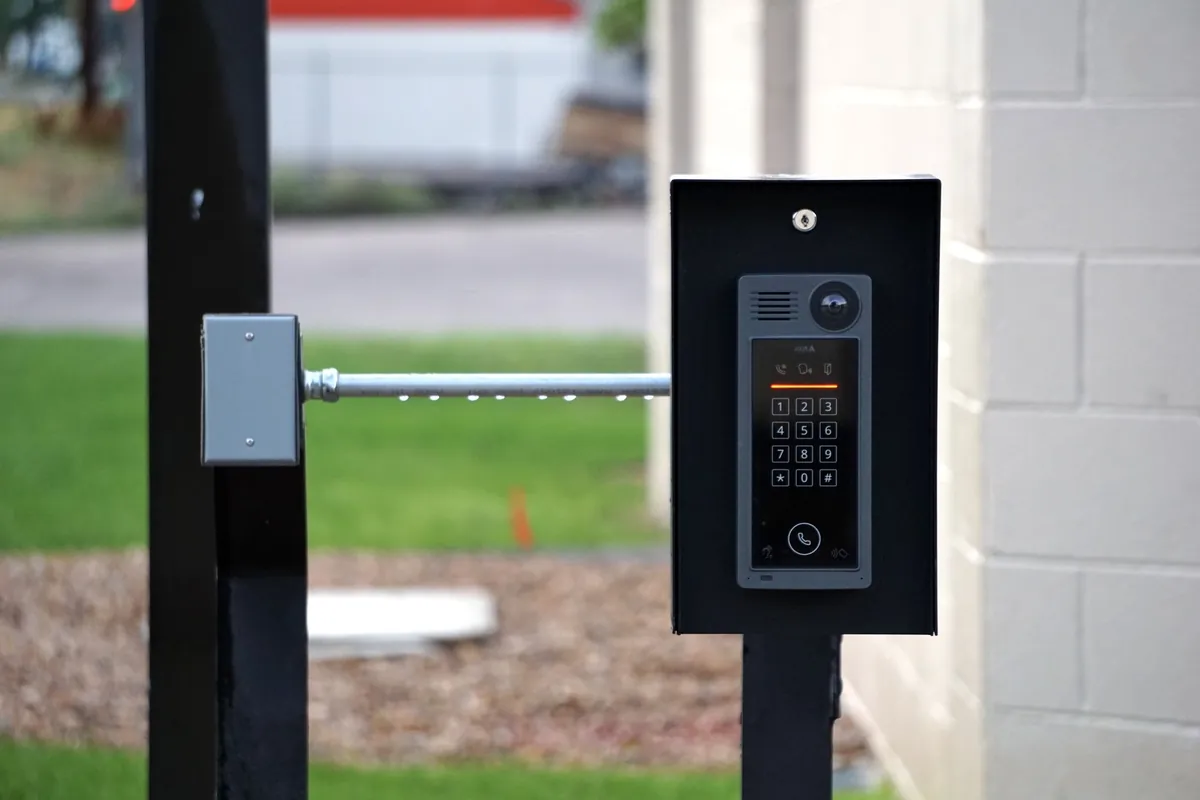
BnB Genius does not control smart locks, issue digital guest passes, manage gate access or automate entry into gated communities. That work belongs to access-control products, and it is a different job from screening — not a harder version of the same one.
Screening decides whether the booking happens. Access decides when an already-approved guest can open a door, and it runs after that decision, on a schedule.
Which tools manage property and gate access?
RemoteLock is the host-scale option: time-bound guest codes generated automatically, PMS integrations and activity logs, with common-area doors on the tier above. Its vacation-rental pricing starts at $6 per door per month on an annual contract or $7.50 month to month, and that entry tier lists 150 guest codes at 90-day duration. Brivo is the building-scale option — cloud access control for businesses, mobile and wallet credentials, users and schedules managed per site — which is what you deal with when the gate belongs to an HOA or a condo board rather than to you. Enso Connect sells the guest-facing wrapper: a branded boarding pass carrying digital check-in, guest verification, smart-lock control, deposits and agreements in one link.
How should screening and access connect?
Through one booking and 3 separate jobs:
- Screening: decide whether the reservation details are acceptable.
- Authorization: confirm the accepted reservation is entitled to a credential.
- Entry: issue or activate that credential in the lock, gate or pass system.
A screening result should never open a door by itself, and a working door code proves only that step three ran. Keep the door on the access provider and the arrival instructions on the messaging side: check-in templates, AI voice calls and remote-management procedures.
Which guest screening tools do small hosts actually use?
Four categories, and the reason hosts end up with two or three of them is that no category covers another: the platform’s own check, a per-booking verification service, message automation, and access control. Every price below was on the linked page on 10 September 2026.
| Tool | Job | What its own page lists | Published price |
|---|---|---|---|
| Airbnb identity verification | Platform check, already done | Mandatory for every host, new co-host and booking guest; checks personal information against third-party sources or a government ID, with a selfie in some cases; the document is not shared with the host | No separate charge shown |
| Autohost | Per-verification screening | Touchless checks, ID collection, forensic document authentication, biometric face matching, liveness detection, sex offender registry, criminal background, fraud detection; Pass / Review / Decline verdict | $0.12–$0.65 per verification at the lightest tier, $2.15–$7.25 at the criminal-check tier; SDK implementation, varies with volume |
| Truvi | Per-booking screening plus damage cover | Email and phone validation and an internal watchlist on every booking; ID verification with a biometric check, sex offender check and criminal background check as add-ons, the last two US-only; result shown as Approved, Flagged or Rejected | $12.60 per booking for the all-inclusive screening program; damage protection priced separately |
| Chekin | Registration and online check-in | Guest registration link, reservation confirmation, ID or passport photo compared with a selfie, rental contract signature, online payment, data reviewable in the dashboard before it goes to the authority account | Basic from €3.95 per property per month; identity verification sits in Premium, from €5.95 |
| BnB Genius | Guest messaging | Reads and answers guest messages on Airbnb and VRBO around the clock, asks for the review and posts yours, opens cleaning and repair tasks after checkout, answers guest calls, runs from Telegram. No identity check, no background check, no risk score, no lock or gate control | $10 per unit per month; first 500 messages free, all features, no card |
| RemoteLock | Door and gate access after acceptance | Automated time-bound guest codes, PMS integrations, activity logs and exports; entry tier covers unit doors with 150 guest codes at 90-day duration, with common-area doors on the tier above | Vacation-rental Premium from $6 per door per month on an annual contract, $7.50 month to month |
| Enso Connect | Branded guest app around the stay | Boarding pass with digital check-in and checkout, guest verification, smart-lock control, deposits and card holds, multilingual agreements, upsells, unified inbox | No figure published; quote form, smallest portfolio option 1–9 properties |
Read the fourth column as five different meters, because that is what it is. Take three units with one door each and 15 bookings a month between them. RemoteLock bills the doors: $18. Chekin bills the properties: €11.85. We bill the units: $30. Truvi bills the bookings: 15 × $12.60 = $189. Autohost bills each verification. A busy month moves two of those five — Truvi’s, billed per booking, and Autohost’s, billed per verification — and leaves the other three where they were. Three units are $30 in a month with 15 bookings and $30 in a month with two. Worth knowing before comparing headline numbers that are not measuring the same thing.
What we leave out is longer than what we do: no channel manager, no calendar sync, no direct bookings, no pricing tool, no owner accounting, no SMS, WhatsApp or Facebook Messenger, no Booking.com or Expedia. If calendars are the problem, start with channel managers for Airbnb and VRBO or the Airbnb–VRBO sync guide. Two of the tools above have their own head-to-head write-ups here: Chekin versus BnB Genius and Enso Connect versus BnB Genius. For the whole stack, the automation-software comparison.
What does screening automation catch that a person misses?
Nothing, in the sense the question implies. It catches what a person would have caught, at the hour the person was asleep. That is the entire argument, and it is worth more than it sounds: a flag nobody reads until morning is not a flag, it is a note.
Put numbers on it. Suppose 20 inquiries a month and 3 with a headcount that needs correcting. A host awake and reachable 16 of every 24 hours is unreachable for the other 8 — a third of the clock — so on average 1 of those 3 arrives into the gap. An automatic reply asking for the overnight count at 02:14 instead of 09:00 does not decide anything. It removes seven hours from the distance between the guest’s message and your decision, and you still make the decision.
Where does BnB Genius fit?
We answer guest messages on Airbnb and VRBO around the clock. We also ask the guest for a review and publish yours, open cleaning and repair tasks after checkout, answer guest calls with a voice AI agent, sell empty nights along with early check-in and late checkout, and run from Telegram.
It installs as a Chrome extension in about 5 minutes, with no API keys, no login sharing and no PMS required — it reads your own Airbnb dashboard in your own browser. It is not a PMS: no channel management, no calendar sync, no direct bookings, no pricing, no owner accounting. Communication automation and the system that moves inventory across channels are different products and we only sell one of them.
Pro is $10 per month per unit. A unit is one rentable accommodation, so the same place listed on Airbnb and VRBO counts once — three units are $30 a month, not one bill for a portfolio. The free tier covers the first 500 messages with all features and no card. Everything is on the pricing page. Voice Concierge adds $7 per month per unit and includes 20 resolved calls a month, then $0.35 per call; the voice product page and the voice-concierge comparison cover that layer.
What must still remain human?
Setting the criteria, reading the contradiction, deciding whether the booking proceeds, and anything touching safety, discrimination, local law or a platform dispute. Identity providers and lock systems need a human on their configuration too — a badly scoped door code is its own incident.
The order I would build it in: platform verification first because it is already there, then the 6-step review on every booking, then one neutral clarification message, then a paid verification service if your bookings justify $12.60 apiece, then access authorization as a separate step after acceptance. Continue with Airbnb automation, the cleaning checklist, maintenance tracking and the autopilot guide. Screening holds up when identity, messaging, the booking decision and the physical door stay four separate things.
