
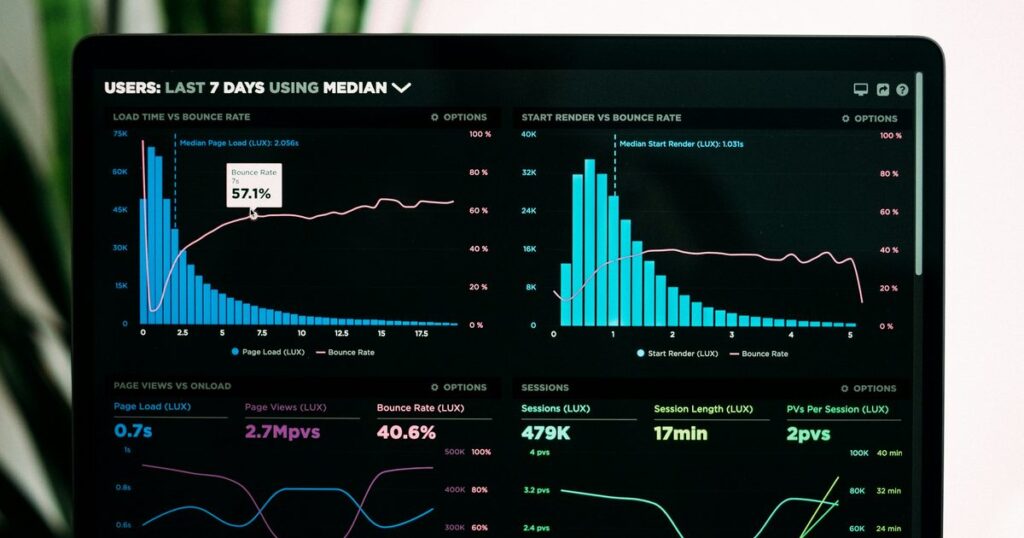
Airbnb analytics tools measure one of three things: how your own listings are performing, how they compare with a similar set nearby, or what a market you do not operate in looks like. Nearly every tool does one of the three well and the other two thinly. Airbnb’s own dashboard covers the first in full and part of the second, at no extra cost. The third is what the paid subscriptions sell.
AirDNA appears below as one option among several. For the product on its own — what it costs, on what basis, and where its user reviews live — read our AirDNA review.
That is why the prices look so strange from outside. “Why did my listing earn less in August than in July” is answered inside the account you are already logged into. “Does Wilmington book better than Asheville” is not, and on published prices that answer costs between $34 and $125 a month at AirDNA depending on how you pay. Same search term, two different products.
I build the product side of BnBGenius, so the boundary goes at the top rather than in a footnote: BnBGenius is not an analytics or reporting tool, and we publish no market data. No occupancy estimates, no comparable-market reports, no revenue forecasts, no rank tracking, no pricing engine, no owner accounting. There is no BnBGenius row in the comparison table below. The single measurement in this article that belongs to us is a narrow one: how long a guest waited for an answer at 02:00, which none of the dashboards here reports.
What do Airbnb analytics tools actually show you?
Three kinds of number, from three different sources, and mixing them up is what makes a subscription feel useless a month after you buy it.
Your own listings. Booked nights, available nights, earnings, views, ratings, response rate. Airbnb defines the occupancy rate as nights booked divided by total nights available to be booked, so the arithmetic is yours and not a model: 15 booked nights out of 30 available is 50%, countable twice on your own calendar. No vendor can improve that figure, because it is not an estimate.
A comparable set. Airbnb’s similar listings view shows two prices side by side — booked prices, which are averages guests actually paid nearby, and available prices, which are what unsold listings are still asking. Similarity is decided by location, size, features, amenities, ratings, reviews, and the other listings guests browse while considering yours. Two limits sit on the same help page: similar listings do not appear when Smart Pricing is switched on, or when there are not enough listings to compare on the dates you picked.
A market you do not operate in. Estimated demand, occupancy, nightly rates and seasonality across an area, modelled from other people’s listings. This is a planning input for a purchase or a lease, not a forecast for one address. A 2-bedroom apartment with parking and a 4-bedroom house are not the same business even on the same street, and a bigger dataset does not repair a badly chosen comparison group.
Airbnb gives you the first for free and a usable slice of the second. It publishes nothing about a market where you own nothing, which is exactly the gap the research vendors charge for. We do not fill that gap either: we answer guest messages, and we publish no market data of any kind. If what you are really evaluating is a location, start with our guides to choosing a short-term-rental market, finding occupancy figures, reading city and ZIP-code occupancy and comparing high-occupancy markets.
What does Airbnb’s own dashboard already show, and what does it cost?
Nothing, past the host account you already have. I opened every page below on 11 September 2026 rather than describing the interface from memory, because Airbnb moves these tabs and the descriptions on other sites go stale inside a year.
- Earnings. The earnings dashboard sits under Today > Menu > Earnings and shows the current month, paid and upcoming payouts, and reports. Its Performance view breaks earnings into a summary with service fees and deductions, a year-over-year comparison, and earnings ranked by listing. Transactions export to a spreadsheet.
- Occupancy and rates. The occupancy and rates page defines the occupancy rate as nights booked divided by nights available, and reports nights blocked, nights booked, unbooked nights and check-ins alongside it, plus cancellation rate, average length of stay, and an average nightly rate calculated as total nightly revenue divided by booked nights.
- Views and conversion. The conversion page splits booking conversion into three stages — first-page search impressions, search-to-listing, then listing-to-booking — and adds views, wishlist additions, booking lead time and the share of returning guests.
- Ratings by category. The ratings page lists cleanliness, accuracy, check-in, communication, location and value, and states something most hosts get wrong: the overall rating is its own category, not an average of the other six. The average overall score appears publicly once at least 3 guests have rated the home.
- Response rate. The response-rate page defines it as the percentage of new inquiries and reservation requests answered within 24 hours over the past 30 days, with response time as the average across all new messages in the same window.
The catch is access, not price. The Performance breakdowns require opting in to professional hosting tools; without that, response rate and ratings still appear under Insights, but the conversion and occupancy detail does not. The second limit matters more than hosts expect before they buy anything: performance can be searched, filtered and compared over the past 12 months. Month thirteen is not in there.
Earnings, occupancy, ratings, response rate and the three conversion stages: that is most of what a paid dashboard would sell back to you, sitting in an account you already have. A listing at 24 booked nights out of 30 available is at 80% occupancy — your calendar, not a model. What the free pages will not do is keep your books or set your prices. For rates, see our comparison of pricing tools; for bookkeeping, the questions in our accounting software guide. BnBGenius does neither job.

Market research or your own performance — which question are you asking?
The test takes one line. Write your question down and ask whether the answer could exist inside your own account. If it could, it is a performance question and the data is free. If it could not, it is a market question, and that is the one with a subscription attached.
“Why did August book worse than July” lives in your account. “Is a 3-bedroom in this ZIP code worth buying” never will, because you own nothing there to measure. The two questions also need different arithmetic. Comparing two candidate neighbourhoods only works when the assumptions match: an estimate built on 240 available nights and one built on 330 produce different revenue and different occupancy from identical demand, and the 90-night gap is assumption, not performance.
Farida runs three listings in Raleigh, all on Airbnb, and she is the case this section exists for. A soft month sends most hosts to price a market-research subscription, but her weak listing is one of her own three, on a street she already knows, with a cover photo she chose. A citywide occupancy curve cannot say which of the three is dragging. Three divisions on her own calendar can, and further down this page they do — 21, 18 and 15 booked nights out of 30 apiece is 70%, 60% and 50%, and the answer is visible in under a minute.
The same separation applies to ranking. Airbnb reports first-page search impressions and the search-to-listing step, not a position number, so any product sold as an Airbnb rank tracker is inferring rank rather than reading it. We do not track search rank at all. Our guide to the search algorithm covers the factors a host can actually inspect. And if the real question is a lease rather than a listing, our pages on the arbitrage model, the permissions it needs and the profit arithmetic deal with the costs a market estimate leaves out.
Is there a free Airbnb analytics tool?
Yes — four I would actually use, and the first is already in the account you log into every day.
Airbnb’s own dashboard. Earnings, occupancy, conversion, ratings and response rate, at no cost, for the listings you actually run. The part it withholds sits behind the professional hosting tools opt-in described above, not behind a payment.
AirDNA’s free plan. Its pricing page lists a $0 plan, described as free forever, with a limited Rentalizer revenue calculator and limited market insights, plus browsing of for-sale properties. What the free plan leaves out is spelled out by what the paid plan adds: the customisable Rentalizer with unlimited searches, historical market insights, comparable sets, future demand data and property performance.
Mashvisor’s Airbnb calculator. Its calculator page is free and takes a property address, a city, a ZIP code or a neighbourhood, then returns revenue, occupancy and ADR estimates, with cash flow, cap rate and cash-on-cash once you adjust the expense assumptions. It answers a purchase question, not an operating one.
One PriceLabs market dashboard. Its plans page states that new accounts with listings imported are credited with 1 free dashboard and that no credit card is needed to start. After that credit expires, dashboards start at $9.99 per dashboard per month.
A free trial is not a free tier, and the difference is worth thirty seconds before you register: judge a vendor by what survives after the trial ends, not by what the trial shows you.
What can a spreadsheet do for free?
For one to three listings, three columns: month, booked nights, available nights. Add earnings as a fourth if you want the money in the same place. Occupancy is the division.
17 booked nights out of 28 available is 60.7%. The next month, 20 out of 30 is 66.7%. Those two percentages do not prove an improvement, because the months differ in availability and in demand — but they record exactly what changed, and in twelve months they will still be sitting there, which is more than the dashboard promises.
Which Airbnb analytics tools do small hosts actually use?
I shortlist by the question each one answers, not by how many charts it puts on a screenshot. Across three listings, three overlapping subscriptions produce three versions of the same month and one reconciliation job. Every price below was read on the vendor’s own page on 11 September 2026, and there is no BnBGenius row because we are not in this category.
| Tool | Published price or access | What it answers | What it does not cover |
|---|---|---|---|
| Airbnb host tools | Included with a host account. The Performance breakdowns require opting in to professional hosting tools | Your own listings: earnings, occupancy and rates, conversion, ratings, response rate | Nothing about a market where you have no listing. Comparison stops at similar listings nearby, and searchable history stops at the past 12 months |
| AirDNA | Free plan at $0, billed as free forever. Market Research is $125 per month, or $34 per month billed $400 annually, as its pricing page renders for a reader in the United States (pricing page) | Market and property research: revenue, occupancy and rate estimates for places you do not own | The free plan excludes the customisable Rentalizer, historical market insights, comparable sets, future demand data and property performance. The research plans estimate rather than read your account; AirDNA sells a separate Adapt product at $20 per listing per month that connects to listings |
| Mashvisor | Airbnb calculator free. Subscriptions billed annually are $39.99, $74.99 and $99.99 per month for Lite, Standard and Professional; paid quarterly the same three are $49.99, $99.99 and $119.99 (pricing page) | Investment analysis before purchase: rental and occupancy estimates, ROI, cap rate, cash-on-cash | Its FAQ states coverage across 95% of US markets, with other areas available by request on the Professional plan. Its research plans do not read your own account; a separate Manage product on the same page sells a property management system with a two-way Airbnb connection from $11 a month, which is a different purchase from the research subscription |
| PriceLabs | Dynamic Pricing $19.99 per listing per month in the US, UK, Canada, Europe, Australia, New Zealand and Israel, $9.99 in the rest of the world, discounted from the second listing onwards — the page’s own calculator totals $144.90 a month for ten US listings. Market Dashboards are sold separately, from $9.99 per dashboard per month (plans page) | Rate recommendations for your listings, and market benchmarking through the separate dashboards product | It sets prices; it does not hold your payout record or read review text. The dashboards are a different purchase from Dynamic Pricing and run without your listings connected |
Notice what the two billing models do differently. PriceLabs publishes an alternative on the same page — 1% of your booking revenue instead of a per-listing fee — and that is the choice a host eventually makes with every supplier. A percentage bill grows on your best month; a per-unit bill does not move at all. A property manager’s cut is the same arrangement with more zeroes, which is the comparison our page on whether you need a PMS works through.
None of these is a channel manager, and neither are we: BnBGenius does not synchronise calendars, take direct bookings, or connect to Booking.com or Expedia. If calendars are the problem, that is a different aisle again — see our channel manager guide or the small-host comparison.

How do you track one listing’s performance over time?
Five numbers, once a month, about five minutes a listing. Farida’s three take her roughly fifteen minutes; at five listings the same routine is twenty-five, which is where most hosts quietly stop doing it.
- Available nights. Genuinely sellable ones, separated from owner blocks and maintenance closures.
- Booked nights. Divided by the line above, this is the same occupancy figure Airbnb reports.
- Earnings. From the earnings dashboard, exported rather than remembered.
- Views, and the listing-to-booking step. Definitions on the conversion page.
- Overall and category ratings, with a one-line note of what the written reviews said.
Response rate needs no column of its own: Airbnb already reports it as a rolling 30-day number.
Then the threshold, which is the part that saves the time. I investigate a relative move of 10% or more that survives two comparable periods, and nothing else. Views falling from 500 to 445 is 11%, so Farida checks availability, price presentation, recent listing edits and comparable demand. Views moving from 500 to 490 is 2% and buys her a note, not an afternoon. That is my working rule rather than an industry benchmark — the value is in having any fixed line at all, because without one every month looks like a signal.
What a paid tracker adds over the manual version is narrow but real: automatic imports instead of typing, and memory. Airbnb lets you search and compare the past 12 months, so anything older than that lives only in a tracker or a spreadsheet of your own. The point where it earns its price is not a portfolio size, it is three months in a row when nothing got written down. What it will not add is a search position, and neither do we. For changes to the listing itself, our listing guide and occupancy guide are the practical end of this.

What do reviews tell you that a dashboard cannot?
A category score tells you where something moved. The written text tells you what the guest actually walked into, and those two answers sit in different places in the same account.
Start with a fact from Airbnb’s ratings page that changes how the numbers read: the overall rating is a separate category, not an average of cleanliness, accuracy, check-in, communication, location and value. Because it is scored separately, six healthy categories and a sliding overall score can sit on the same listing.
Then the arithmetic of small samples, which is why one stay can feel catastrophic. A listing with 4 reviews all rated 5 averages 5.0. One 3 makes it 23 divided by 5, or 4.6. The same 3 landing on 40 existing fives makes it 203 divided by 41, about 4.95. Nothing about the stay differed; the denominator did. Airbnb starts showing the public average once 3 guests have rated the home, so the earliest reviews carry weight that no later review will.
A cleanliness score that slips while communication holds steady tells you the category, never the failure. Read the comments underneath: grout and mould are an inspection problem, dust under furniture is a checklist problem, a full bin is a timing problem between guests. Three of the last 8 written reviews mentioning street noise is a firmer signal than a star average that drifted 0.05, and it points at disclosure or window treatment rather than at cleaning.
Here is the number that appears in none of it. Airbnb’s response rate counts your first reply to a new inquiry or reservation request within 24 hours, over the past 30 days, and follow-up messages do not affect it. A host can hold 100% on that measure while a guest who has already booked waits six hours at 02:00 for the door code. Nothing on this page reports that wait. That is the narrow thing we do: BnBGenius answers guest messages on Airbnb and VRBO around the clock, asks the guest for a review, publishes the host review, and raises cleaning and repair tasks after checkout. Pro is $10 per unit per month, where a unit is one rentable place even when it is listed on both platforms, and the first 500 messages are free with no card. It installs as a Chrome extension in about 5 minutes and reads the dashboard you are already logged into — no API keys, no shared logins, no password handed to anybody.
That is not review analytics and we do not sell it as such: we do not score sentiment, generate review reports, forecast ratings or publish benchmarks. For the workflow itself, see our pages on review scores, how reviews work, review management tools and writing and sending reviews.
Which numbers actually change what you do next?
Four, in my experience. Everything else on a dashboard changes how the month feels.
Booked nights against real availability
A listing that goes from 18 booked out of 30 available to 18 booked out of 24 available has moved from 60% to 75% occupancy without gaining a single reservation. What follows is reopening blocked dates, not congratulating yourself on the percentage.
Earnings beside occupancy
Fuller is not richer. If booked nights rise and earnings fall, the average nightly rate did the work — Airbnb calculates it as total nightly revenue divided by booked nights — and the suspects are discounts, length-of-stay rules and fees.
Which stage of the funnel moved
Fewer views sends you to availability and visibility. Steady views with fewer bookings sends you to price, photos, policies and whatever makes a guest hesitate on a page they already opened.
A phrase that repeats in the reviews
One vague complaint is noise. The same specific complaint 3 times in 8 reviews is an operational fact. For cleanliness that means the cleaning checklist; for information arriving late it means automated messages and clearer arrival and departure templates.
Farida’s month makes the point better than the list does. Listing A books 21 nights of 30, Listing B 18, Listing C 15 — 70%, 60% and 50%. Across the three that is 54 booked nights out of 90, or 60% portfolio occupancy, and 60% is the number that would have hidden everything: it sits exactly on Listing B while Listing C runs 20 percentage points behind Listing A.
The following month, with 30 available nights each again, A holds at 21, B holds at 18, and C books 18. The portfolio moves to 57 of 90, or 63.3%. All 3 of the extra nights came from one listing. That does not prove what caused it, and Farida cannot claim her search visibility improved unless views moved too. It does tell her where to look: C’s nightly rate, because 3 more nights that earn less per night than the 15 before them is not a win, and 3 more nights at the same rate is.
That is the whole test for an analytics purchase. A number deserves your money when it changes the next thing you inspect. Start with the free dashboard, add market data only when you are choosing a market, and buy specialist software only for the specific job it performs. For the operating questions that sit outside analytics, our guides cover managing several listings remotely, task management software, the wider app stack and automation software. We are in that last category, and only there.
