
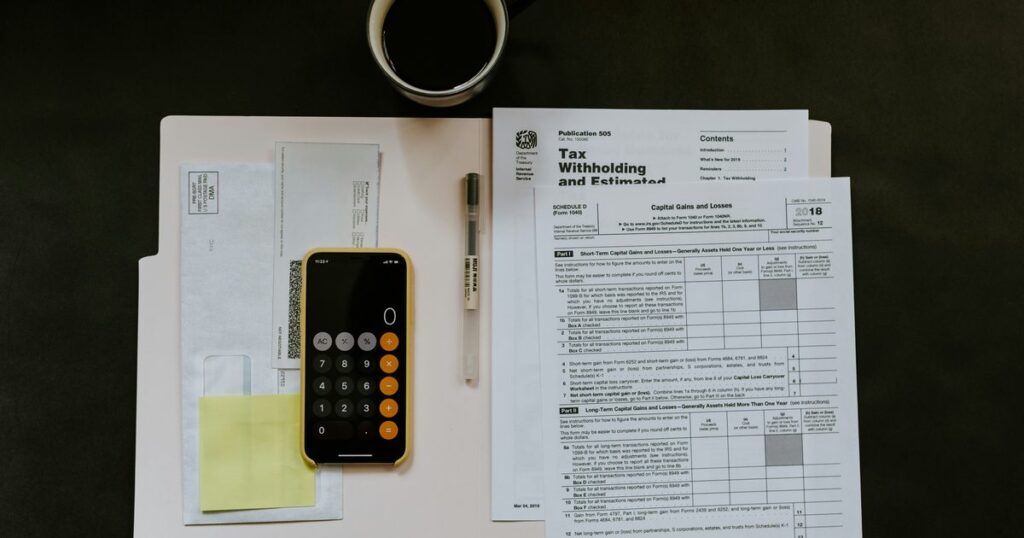
Airbnb accounting software is ordinary small-business bookkeeping software pointed at rental income, and the entry plans a one-to-five-unit host would actually buy run from $0 to $38 a month. The one thing it has to get right is a distinction no spreadsheet enforces by itself: the money that lands in your bank account is not the income figure you report.
Airbnb prints the proof of that on its own help page. In the worked example on its US tax documents page, a $100 nightly rate across 5 nights, plus a $90 cleaning fee and $10 of pass-through taxes, produces $600 reported on Form 1099-K, while $467.60 reaches the host after $18 of Airbnb fees and $114.40 of co-host payouts. A host who records $467.60 and stops has dropped $132.40 of gross income, and every deduction buried inside it, out of the books.
I work on guest messaging, not on books. BnBGenius does not do owner accounting, bookkeeping, tax preparation or owner statements, so there is no BnBGenius row in either table below: this is a page about other companies’ products. Every price here was read on the vendor’s own pricing page on 11 September 2026, in a browser, after the page had finished rendering and after I set any monthly-or-annual toggle by hand — which, as the tool table shows, is the difference between the advertised number and the one you would pay.

What does an Airbnb host actually have to record?
Six things per transaction: the gross amount the guest was charged, every amount withheld before payout, the net amount that reached the bank, the date, the unit, and the category. Refunds and resolution payments get their own entries. The payout report is the evidence; it is not the ledger.
Here is the arithmetic on a single booking. Ingrid is an invented host with 2 units in Bristol, both listed on Airbnb only. A guest books unit A for 4 nights at £150 a night with an £80 cleaning fee. Airbnb’s page says most hosts on the host-only structure pay 15.5% of the booking subtotal, with the rest typically paying 14% to 16%, and as the breakdown of Airbnb service fees sets out, that subtotal includes the cleaning fee rather than just the nightly rate.
| Entry | Amount | How Ingrid records it |
|---|---|---|
| Accommodation, 4 nights at £150 | £600 | Rental income, unit A, dated to the nights of the stay |
| Cleaning fee charged to the guest | £80 | Rental income, on its own line, not merged into accommodation |
| Booking subtotal | £680 | The figure the platform fee is calculated against |
| Airbnb host-only service fee at 15.5% | −£105.40 | Platform fee, a deductible expense |
| Net payout | £574.60 | The only line that should match the bank deposit |
| Cleaner paid | −£60 | Cleaning expense, unit A |
| Replacement supplies | −£15 | Supplies expense, unit A |
| Left from this stay | £499.60 | Not profit: utilities, insurance, financing and tax are still ahead of it |
Every step is recomputable: 680 × 0.155 = 105.40, then 680 − 105.40 = 574.60, then 574.60 − 60 − 15 = 499.60.
Now the failure case, which is the reason this section exists at all. If Ingrid enters £574.60 as her income and nothing else, she understates her turnover by £105.40 and omits £105.40 of deductible expense. The two errors cancel in the profit line, which is why this mistake survives for years without anyone catching it. They do not cancel in the turnover line — and turnover, not profit, is what HMRC tests the Making Tax Digital thresholds against. A host can end up wrong about whether a filing regime applies to them because of a bookkeeping shortcut taken two years earlier.
The fields I would put on every transaction:
- Transaction date — when the money actually moved.
- Stay dates — the nights that earned it, which are often in a different month.
- Unit — unit A or unit B, in Ingrid’s case.
- Category — accommodation, cleaning income, platform fee, refund, supplies, repair, utility.
- Gross amount — before anything is withheld.
- Net amount — what the bank shows.
- Evidence — the payout report, invoice or receipt, stored where it can be found again.
Three of those stop being optional for a UK host. HMRC’s guidance on creating digital records states that each record needs the amount, the date the income was received or the expense incurred, and the category, using the same categories as Self Assessment. The same page adds that you must still keep the original supporting documents, such as bank statements and invoices, alongside the digital records.
The platform hands you the raw material and says where its job ends. Airbnb’s page on finding your earnings for tax purposes points to the Earnings dashboard for gross earnings, all transactions and a CSV export, and states that it is the host’s responsibility to determine what, from the total amount earned, to report as taxable income. That sentence is the dividing line between what the platform does and what you do.
Unit labels earn their keep outside tax season too. Once income is tagged by unit, it can be set against the occupancy figures in the guides to finding Airbnb occupancy rates, judging what counts as a good occupancy rate and reading occupancy data by market.
What is Airbnb accounting software, and what does it do that a spreadsheet does not?
It imports bank transactions automatically, remembers how you categorised the last one like it, stores receipt images on the entry, and reconciles the ledger against the bank balance. A spreadsheet does none of those four things. It does everything else on this page perfectly well.
My switching point is a transaction count, not a feeling. At 1 or 2 units and roughly 40 transactions a month, a spreadsheet reconciled monthly is less work than configuring another application: 40 entries at 2 minutes each is 80 minutes. At 3 units and 120 transactions a month, the same discipline costs 240 minutes a month and 1,440 entries a year, and that is where bank feeds and saved categorisation rules start returning more than they cost. Those are my operating numbers for deciding when to switch, not a rule anyone is obliged to follow.
| Job | Spreadsheet | Accounting software |
|---|---|---|
| Enter a payout | Typed or pasted by hand | Arrives through a connected bank feed |
| Split gross income from the fee | You build the rows and remember to do it | A saved rule repeats the split |
| Attach a receipt | A file link you have to maintain | Image stored on the transaction, sometimes only as a paid add-on |
| Reconcile to the bank | You compare the lines yourself | A matching tool flags what does not tie out |
| Correct last quarter’s error | A changed formula leaves no trace | The original entry and the correction both survive |
The bank feed is also where the sales pitch outruns the product, and HMRC says so in writing. Its digital records guidance warns that software connected to a bank account may still need extra detail added by hand, such as the correct Self Assessment category, and that some transactions will not appear in full in the bank feed and have to be created as separate records. Ingrid’s £680 booking is exactly that case: the feed shows £574.60, and the £105.40 fee has to come from the payout report. The subscription shortens the job. It does not retire it.
This is also where BnBGenius stops. We answer guest messages on Airbnb and VRBO, raise cleaning tasks after checkout and take guest calls. We do not do owner accounting, bookkeeping, tax filing, owner statements, calendar sync, direct bookings, channel management or pricing. If you are assembling a full stack, keep accounting separate in your head from a property management system, a channel manager, pricing software and analytics tools. Five categories, five separate purchases, and no single product covers them all.

Which accounting tools do small Airbnb hosts actually use?
General small-business accounting tools, because the job is the ordinary one: import bank transactions, categorise, reconcile, report. None of them knows what a listing is, so unit-level reporting is something you set up by hand, whatever the plan costs.
Each price below is the standard plan price displayed on the linked page on 11 September 2026, not the promotional figure printed next to it.
| Tool | Standard price printed on the page | What the entry plan gives a host | What it does not cover |
|---|---|---|---|
| Wave Starter | $0 | Unlimited estimates, invoices, bills and bookkeeping records, entered by hand | No automatic bank import and no auto-categorisation; those sit on the paid plan |
| Wave Pro | $19 a month billed monthly, or $190 billed annually | Auto-imported bank transactions, auto-merge and categorisation, late-payment reminders | Receipt capture is included in Pro; on the free Starter plan the same page prices it separately at $8 a month or $72 a year |
| Xero Early | $25 a month | Bank reconciliation, real-time reports, W-9 and 1099 management, 30-day cash flow forecast | The plan caps you at 20 invoices and 5 bills; the page also states prices rise from 1 October 2026 |
| QuickBooks Free | $0 | Income and expense tracking, profit and loss report, 1 connected bank | 2 invoices a month, 1 user, and no accountant access at all |
| QuickBooks Simple Start | $38 a month | Automated bookkeeping, general reports, access for 2 accountants | 1 user, and no rental-specific reporting of any kind |
| FreshBooks Lite | $23 a month | Expense tracking, estimates, invoicing, tax-time reports | Capped at 5 billable clients, and receipt scanning starts on the $43 Plus plan |
The gap between the headline and the standard price is the part worth watching. On the day I checked, Xero showed Early at $2.50 a month above the words “Then $25 per month”, QuickBooks showed Simple Start at $19 with $38 struck through, and FreshBooks showed Lite at $2.30 next to “Was $23.00”. All three discounts expire in three to six months; the subscription does not.
Run the annual arithmetic before choosing. Wave Pro billed annually is $190. Xero Early at $25 a month is $300. QuickBooks Simple Start at $38 a month is $456. The spread between cheapest and dearest is $266 a year, and at that size it should not be the deciding factor. What should decide it is whether your accountant can open the export and whether unit A can be told apart from unit B inside the product. Before subscribing, I would test exactly three tasks in the trial: import one payout, split it into gross income and fee, and run a report for one unit.
Two of these sit at $0, and for a host with one unit and a separate bank account that is often the correct answer for a year. Accounting is also not calendar work: if you list on more than one platform, the coordination problems are covered in the guides to Airbnb versus VRBO for hosts, syncing Airbnb and VRBO calendars and VRBO software and tools. No accounting subscription performs those jobs.
What is the best tax software for Airbnb hosts?
For a US host with rental income, H&R Block Premium at $105 plus $49 per state is the cheapest product in this comparison that names rental property on its own pricing page. Bookkeeping software keeps the ledger during the year; tax software takes finished figures and files a return. They are separate purchases, and a host with rental income usually ends up with both.
| Tax product | Federal price printed on the page | State price printed on the page | What the page says about rental income |
|---|---|---|---|
| H&R Block Premium | $105 | $49 per state filed | Named for people who invest in crypto, rental properties or the stock market |
| H&R Block Self-Employed | $130 | $49 per state filed | The tier above, aimed at people running their own business |
| TaxSlayer Premium | $64.99 | Not printed; the page says only “State additional” | Claims all forms and all income types, with priority support and access to a tax pro |
| TurboTax, file it yourself | $0 to $139, as a range | Not printed; the page says only “State additional for paid products” | The page no longer prints a price for an individual rental-property tier |
That last row is a finding, not an omission on my part. On 11 September 2026 the TurboTax online page published three bands — $0 to $139 to file it yourself, $59 to $209 with on-demand expert help, and from $129 for an expert to file for you — and no per-tier figure for rental property. Any article quoting you a firm TurboTax Premium price today is quoting something that page does not say. Read your own total at checkout.
So the only complete arithmetic available is H&R Block’s: $105 + $49 = $154 for one federal and one state return on Premium, or $179 on Self-Employed. TaxSlayer Premium starts at $64.99 and finishes at a state price its own page declines to print.
Ingrid buys none of these, because she is in Bristol and they are US products. She is here to carry the decision rule: software marketed at rental owners is not automatically software for your country or your forms. Check that the product supports every form your situation requires before you pay, not after you have entered a year of data.
A US host with clean annual totals can run bookkeeping software through the year and tax software in filing season and never need more than that. Forecasting what the year will produce is a separate exercise, covered in the arithmetic of rental profitability, VRBO host fees and Airbnb service fees.
Which tax forms does Airbnb issue, and when?
Four, and only one of them is the ordinary host’s form. Airbnb’s US tax documents page sets out each one with the threshold it applies and the date the document becomes available.
| Form | Who Airbnb says receives it | Payment threshold printed on the page | Available by |
|---|---|---|---|
| 1099-K | Hosts or co-hosts who are US citizens or US tax residents, on reservation, experiences or services transactions | Greater than $20,000 in gross transactions and over 200 payment transactions in 2025 | January 31 following the reportable calendar year |
| 1099-MISC | Hosts or co-hosts receiving other reportable income: bonuses, awards, incentives, Airbnb-settled resolutions | $600 or more in aggregate during the calendar year | January 31 following the reportable calendar year |
| 1099-NEC | Airbnb service providers — photographers, translators, concierges — not hosts on accommodation income | $600 or more in aggregate during the calendar year | January 31 following the reportable calendar year |
| 1042-S | Non-US hosts who submitted a Form W-8 and received payments from US sources | $1 or more | March 15 following the reportable calendar year |
One change on that page matters more than the table, because it lands inside the tax year now running. Airbnb states that beginning with the 2026 tax year, the reporting threshold for both Form 1099-MISC and Form 1099-NEC rises to $2,000, up from $600 in 2025, under the One Big Beautiful Bill Act, and that the threshold is then subject to inflation adjustments from 2027 under later regulatory guidance. So the $600 in the table above is the 2025 figure, and for the year you are living in it is $2,000. Do not take a threshold from an article, this one included — take it from the page itself or from a tax professional.
The same page explains that the $20,000-and-200-transactions federal threshold for Form 1099-K was permanently reinstated by that Act, and that you can still receive a 1099-K below it for two reasons: your state sets a lower filing threshold, or federal tax was already withheld from your payouts. Airbnb names the states and districts with lower thresholds as Arkansas, the District of Columbia, Illinois, New Jersey, Maryland, Massachusetts, Montana, Vermont and Virginia, and adds that the list is subject to change.
Two things follow that catch hosts out. Receiving no form does not make income unreportable. And a form that does arrive is not a statement of profit: Airbnb says the 1099-K reports gross reservation totals, including cleaning fees, pass-through taxes and any co-host payouts, before its own fees are deducted. That is the $600-against-$467.60 example at the top of this page, and the $132.40 gap between them is precisely what a ledger exists to explain.
The forms live under Account settings, then Taxes, then the Tax documents tab, which holds up to four years of them. I would download the annual earnings CSV and every available form, and reconcile one against the other before treating either as a set of books. Airbnb tells you how to do that reconciliation on the same page: gross earnings in the Earnings Summary correspond to Box 1a on the 1099-K.
What does Making Tax Digital mean for an Airbnb host in the UK?
It means quarterly updates to HMRC from compatible software instead of one annual Self Assessment entry, and whether it applies to you yet depends on one number: your qualifying income, tested against the tax return you filed for the previous year. HMRC’s guidance publishes the phasing as a table, reproduced here with nothing added.
| Self Assessment tax return | Qualifying income | Start date |
|---|---|---|
| 2024 to 2025 tax year | more than £50,000 | 6 April 2026 |
| 2025 to 2026 tax year | more than £30,000 | 6 April 2027 |
| 2026 to 2027 tax year | more than £20,000 | 6 April 2028 |
Those three rows are the whole of what I am willing to state about dates and thresholds, because they are the whole of what the page prints. The guidance carried an update date of 7 September 2026 when I read it on 11 September 2026. Tax rules get amended; open the page yourself before you act on any of this, and take advice on your own position rather than from a software article.
HMRC also sets two conditions before the thresholds are even reached. You need to be already registered for Self Assessment and to have submitted a tax return, and the income has to come from self-employment as a sole trader or from property as a landlord, or both. Being on Airbnb has nothing to do with it; letting property does.
Now the definition that decides most cases, and it is the one hosts get wrong. HMRC defines qualifying income as your total turnover from self-employment and property income — the total amount before expenses, taken from the previous year’s return. Apply that to Ingrid. Her 2 Bristol units gross £32,000 in the 2025 to 2026 tax year, and she spends £9,000 on cleaning, supplies, insurance and repairs, leaving £23,000 of profit. The test runs against £32,000, not £23,000. On the £32,000 she is over the £30,000 line for the 2025 to 2026 return and is in scope from 6 April 2027. Had she tested her £23,000 profit, she would have concluded she had until the 2028 phase and been a year late. This is arithmetic for the example, not a ruling on anyone’s status.
That is the same error as recording only the £574.60 payout, arriving two years later with consequences attached.
What “digital records” means in practice is narrower than it sounds. Per HMRC’s digital records guidance: each record carries the amount, the date, and the category, using Self Assessment’s own categories; original documents are still kept as before; and once a record has been included in a quarterly update it must not be manually moved or copied and pasted between products. If you use more than one product, they have to be digitally linked. Two details matter specifically to a host with several properties. All your UK properties are treated as one UK property business, so HMRC does not require a separate set of digital records for each one — Ingrid’s unit A and unit B tracking is for her own benefit, not for HMRC. Each individual foreign property, by contrast, does need its own records.
The first year has fixed dates. HMRC’s guidance lists digital records starting 6 April 2026 for a standard accounting period ending 5 April, or 1 April 2026 for one ending 31 March with calendar update periods, then quarterly updates due by 7 August 2026, 7 November 2026, 7 February 2027 and 7 May 2027, with the tax return itself due by 31 January 2028. The guidance also states that penalty points will not be applied for late quarterly updates in the 2026 to 2027 tax year, though the updates still have to be sent before the return can be submitted.
A spreadsheet is not disqualified. HMRC’s page on choosing the right software says you can keep using spreadsheets with bridging software that connects to them and makes the submissions, and that HMRC does not supply software itself. It also sets a limit worth knowing before you buy two products: a landlord cannot use more than one product to send quarterly updates for property income. Check anything you are considering against the official software finder, which lists only products that have been through HMRC’s recognition process, before you pay for it.
BnBGenius is not on that list and will not be. We do not keep digital records, do not make submissions to HMRC, and are not a substitute for compatible software.
Do you need an accountant instead of software?
Not for entering transactions — software is cheaper at that by a factor of ten. You need a person when the hard part is deciding how a transaction should be treated, which is a question no bank rule can answer.
The prices are public. Bench prints Bookkeeping Grow as starting at $199 a month billed monthly, or $1,910 billed annually — a floor, not a quote — with Core at $399 a month or $3,830 a year, and Core plus Tax, which includes income tax filing, at $599 a month or $5,750 a year. Its hourly option for people who already run QuickBooks is $55 an hour with $1,200 of onboarding. Wave prints its own bookkeeping service, Wave Advisors, at from $149 a month.
| Option | Annual cost at the printed price | What you are still doing yourself |
|---|---|---|
| Spreadsheet | $0 | Entering, categorising, filing evidence and reconciling every line |
| Wave Pro | $190 billed annually | Reviewing imports, fixing categories, supplying the tax figures |
| Wave Advisors | From $1,788 at $149 a month | Supplying records and answering the bookkeeper’s questions |
| Bench Bookkeeping Grow | $1,910 billed annually | Supplying records, answering questions, arranging the filing separately |
The break-even is a division anyone can do. Bench Grow at $1,910 against Wave Pro at $190 is a difference of $1,720. If your own bookkeeping takes 6 hours a month, that is 72 hours a year, and $1,720 ÷ 72 gives $23.89 an hour. Above that rate, in a year where you would actually have sold those hours, the service is the rational buy. Below it, it is not. Bench and Wave are US services, which is why Ingrid is not in this arithmetic; a Bristol host would be pricing a UK bookkeeper against the same hours.
One structural point in favour of paying a fixed price. That $1,910 is 6.0% of a $32,000 rental business and 1.9% of a $100,000 one — dollars here, because Bench is a US service, not Ingrid’s pounds: the same money, a smaller share every year you grow. Anything charged as a percentage of your bookings behaves the opposite way, taking more in absolute terms exactly when there is more of it to take. Fixed beats proportional for anyone planning to get bigger, and that logic applies to software subscriptions as much as to bookkeepers.
The situations where I would pay a person rather than a subscription:
- Property or income in a second country — two tax authorities can each have a claim, and the treaty question is not a checkbox.
- A company or partnership holds the property — filing and owner allocation stop resembling a personal ledger.
- The first year makes a loss — what you may do with that loss is a judgement, not a negative number in a report.
- Personal and rental use overlap — apportioning expenses needs facts a bank rule cannot infer.
- Several people put money in and take it out — capital movements misfiled as income corrupt every figure downstream.
Paid operational help is a separate decision from paid financial help, and the two get confused because both are described as “getting help”. The costs and limits of the operational kind are set out in what an Airbnb co-host does and charges, managing multiple rentals remotely and the limits of AI property management. A co-host does not do your books, and a bookkeeper does not answer your guests.
What can you leave until next year?
For 1 to 3 units: every subscription on this page can wait, and none of the record-keeping can. One ledger, a separate bank card for the rental, evidence saved as it arrives, and a monthly reconciliation against the platform payout report cost nothing and cannot be reconstructed later. The software choice is reversible. Missing source data is not.
| Decision | Do it now when | It can wait while |
|---|---|---|
| A dedicated ledger | From the first booking | Never: this is the one that cannot wait |
| Separate bank account or card | From the first recurring rental expense | No rental transaction has happened yet |
| Paid bookkeeping software | Above about 120 entries a month, or reconciliation is repeatedly late | There are about 40 clean entries a month and the spreadsheet balances |
| Unit-level reporting | From the second unit, if you want to compare them | There is 1 unit and no apportionment question |
| Tax software | The year’s forms and filing situation are known | You are still setting up the ledger |
| MTD-compatible software | Your qualifying income passes the threshold for the relevant return year | You are under it, and you re-check next year |
| An accountant or bookkeeper | Second country, company structure, mixed use, several owners, or a loss | The ledger is simple and you can file the return yourself |
Ingrid’s four-night booking is the whole test, in miniature. Five figures have to survive the year: £680 of gross income, the £105.40 platform fee, the £574.60 deposit, the £60 paid to the cleaner and the £15 of supplies. Any tool on this page can hold those five numbers. A spreadsheet holds them for $0. What decides her year is whether she writes them all down at the time, or writes down one of them and reconstructs the rest in January.
At 2 units and about 40 transactions a month, I would leave her on the spreadsheet with unit labels, a monthly reconciliation and receipts attached, and revisit at 120 transactions a month. What she cannot postpone is the £32,000 question: qualifying income is tested on turnover, so the figure she needs for the 2027 threshold is the one she is either recording correctly now or not recording at all.
What genuinely can wait is software bought for a problem you do not have yet — consolidated reporting across a portfolio of one, multi-user permissions for a single user, an operations platform purchased to produce an income-and-expense list. If expansion is the plan, the ledger you build now is what makes the next decision answerable, whether that is choosing a second market, starting another listing, taking on rental arbitrage or checking the permissions arbitrage requires.
Nothing on this page is a product of ours, and that is the honest end of it. A spreadsheet, an accounting product, a tax product, a qualified human, or some combination of the four — all bought from someone else.