
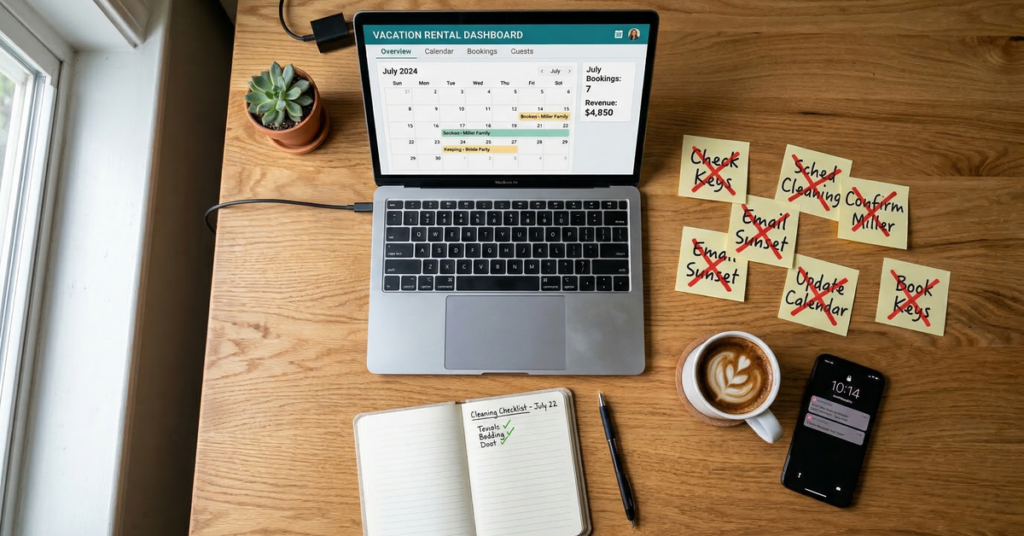
The seven mistakes are relying only on scheduled messages, skipping review follow-up, manually notifying cleaners, ignoring gap nights, sharing a personal phone number, overbuying PMS software, and optimizing pricing before communication.
I see the same underlying error in each case: a beginner automates the most visible step rather than the step most likely to fail. A welcome template is visible, but an unanswered mid-stay question is the failure. A pricing adjustment is visible, but a cleaner who never receives the turnover details is the failure.
The practical goal is not to remove the host from every decision. It is to automate repetitive work while keeping exceptions visible. The broader overview of Airbnb automation software separates those jobs by function, while this article concentrates on the order in which I would address them.

What Airbnb host mistakes do beginners make with automation?
In my hypothetical example, a beginner manages 2 homes and creates 4 scheduled templates for each one. That looks like 8 pieces of automation, but it does nothing by itself for an unexpected lock question, a missed cleaning assignment, an expiring review opportunity, or an isolated empty night.
The seven mistakes fall into three groups:
- Communication mistakes: relying on templates and sending guests to a personal telephone number.
- Operational mistakes: chasing reviews manually and forwarding turnover information by hand.
- Commercial mistakes: ignoring short calendar gaps, purchasing a system with unnecessary scope, and adjusting rates before the guest experience is stable.
A beginner does not need to automate everything at once. For my 2-home example, I would first list every repeated action during one reservation: answering the initial questions, sending arrival information, handling stay questions, creating the cleaning task, following up about reviews, and checking whether surrounding nights can be sold.
That produces a better requirements list than shopping by software category. A host who needs only communication and turnover tasks should not automatically assume that a channel manager, accounting system, or complete property management system is required. The distinction is covered further in whether a small host needs a PMS and AI property-management tools.

Are Airbnb scheduled messages enough to automate guest communication?
A set of scheduled messages is useful for predictable information, but I would not treat it as complete guest communication. I have not verified the precise current scheduling rules published by Airbnb, so I would not base an automation plan on a claimed number of native triggers.
The limitation is simpler: a scheduled template cannot interpret an unexpected guest question and compose a relevant answer. If my example schedule sends 5 templates—booking, pre-arrival, arrival, checkout, and post-stay—it still cannot decide how to answer, “Which parking space should I use?” or “Where is the replacement key?”
A useful communication workflow must cover the whole reservation:
- Booking and pre-arrival questions.
- Arrival instructions and access problems.
- Mid-stay questions and reported issues.
- Checkout instructions.
- Post-stay review follow-up.
That does not mean every message should be generated from scratch. I prefer a combination: stable facts such as checkout instructions remain consistent, while an AI response handles the guest’s actual question. The templates in guest messages from booking through checkout are useful starting material, and the automated-message overview explains where templates fit.
BnBGenius answers guest messages on Airbnb and VRBO around the clock. In a simple 6-message example, the distinction matters: 3 predictable messages might use established instructions, while 3 unexpected questions require interpretation rather than another timed template.
Response discipline also matters on Airbnb. Its help centre defines response rate using new inquiries and reservation requests answered within 24 hours over the past 30 days, while response time is the average response time for all new messages over that period. The calculation details and practical workflow are examined in the response-rate guide.
How do you automate Airbnb review requests?
Both parties have 14 days after checkout to submit a review on Airbnb. Reviews publish when both parties submit or when that 14-day period ends, whichever happens first. That makes checkout a sensible trigger for the review workflow.
I would divide automation into 2 distinct actions:
- Ask the guest to leave a review after the stay.
- Prepare and publish the host’s review without losing track of the deadline.
BnBGenius asks the guest for a review and publishes the host’s review.
For a worked example, suppose my hypothetical host has 7 checkouts during a busy period. Remembering 7 separate deadlines is avoidable administrative work. A checkout-based process can place every stay into the same review sequence instead of relying on the host to notice each one later.
The wording should remain specific to the stay. A generic request can be polite, but it should not pressure a guest or promise anything in return. For host-side wording, host review templates show how to preserve a consistent structure while changing the reservation-specific line. The mechanics of the platform window are covered in Airbnb’s review window.
Hosts should also understand the difference between writing, editing, and challenging reviews. On Airbnb, a review can be edited until it publishes. A host can post a public response to a published review, and the platform does not publish a response deadline on that page. Separate procedures are explained in editing, removing, and responding to reviews and review removal.
How do you automate Airbnb cleaner notifications?
A reliable turnover workflow begins with a completed stay and ends with an assigned cleaning or repair task. BnBGenius creates cleaning and maintenance tasks after checkout. It does not provide calendar synchronization or act as a channel manager.
In my ideal 1-turnover example, the cleaner notification contains 4 operational details: the property, checkout time, turnover date, and special notes. That format eliminates calendar screenshots and manually forwarded text messages. However, I am describing the notification I recommend, not claiming that BnBGenius supplies those exact fields.
The workflow I would document is:
- Capture the reservation and checkout information in the host’s operating process.
- Create the cleaning task after checkout.
- Give the cleaner the property, deadline, and relevant notes.
- Create a repair task when the cleaner reports a maintenance issue.
- Confirm completion before the next arrival.
The important distinction is between notifying a person and synchronizing a calendar. BnBGenius handles the task side, but we do not synchronize calendars. Hosts who need calendar sharing should review sharing an Airbnb calendar with a cleaner. An imported iCal calendar on Airbnb refreshes automatically every 3 hours, so I would not describe iCal as instant or real-time.
A dedicated cleaning platform may make sense when cleaner recruitment is the problem. For example, Turno publishes a cleaner marketplace, real-time problem reporting, and a Quality Center that reads guest reviews and connects them to the cleaner. Its published price is $0 for 1 property with an outside cleaner; billing begins when at least 2 properties are billable under its definition, at $10 per billable property per month. A worked total for 3 billable properties is $30 per month.
That is a different scope from BnBGenius creating cleaning and repair tasks after checkout. The alternatives are compared in turnover software alternatives, cleaning apps for hosts, and vacation-rental task software.
What are Airbnb gap nights, and how do you fill them?
Gap nights, sometimes called orphan nights, are short openings trapped between longer reservations. A 3-night minimum makes a 1-night or 2-night calendar gap unbookable under that rule.
Here is my worked example. At an assumed $120 per night, 50 empty orphan nights represent $6,000 in unrealized revenue:
50 nights × $120 = $6,000.
This is an illustrative model, not a forecast for a particular property. Actual demand, cleaning expense, taxes, platform charges, and the likelihood of selling each night will change the result.
There are 2 separate ways to address the problem:
- Adjust the minimum-stay rule. If the opening is only 2 nights, a fixed 3-night minimum blocks it. A host can decide whether a shorter stay is operationally worthwhile and adjust the rule in the relevant booking platform or pricing system.
- Offer an extension to an adjacent guest. A guest arriving immediately after the opening might pay for early access to the property, while a departing guest might extend the stay.
BnBGenius sells empty nights, early check-in, and late checkout. It is important not to confuse that with rate management. We do not provide a pricing tool, set dynamic nightly prices, or alter minimum-stay rules. The host still needs to manage those rules through the appropriate platform or dedicated pricing product.
I would evaluate every offer using contribution rather than headline revenue. In my 1-night example, a $120 sale is not worth $120 to the host if it creates an extra turnover or additional labour. If it simply extends an adjacent reservation, the operational cost may be different. That is why minimum-stay adjustments and adjacent-guest upsells should remain separate decisions.
For a deeper treatment, see gap-night revenue, gap-night automation, and early check-in and late checkout.
Should Airbnb hosts share their personal phone number with guests?
I recommend separating guest calls from a host’s personal telephone line, but that is my operational advice. I have not verified a current help-page statement from Airbnb advising caution about sharing personal contact information, so I would not attribute that recommendation to the platform.
The practical reason is routing. In my example, 4 ordinary questions—Wi-Fi, parking, checkout, and house rules—should not use the same escalation path as 1 genuine emergency. A dedicated guest-call workflow can answer the routine questions while reserving the host’s attention for decisions that require a person.
BnBGenius offers a voice AI agent that answers guest calls. Voice Concierge costs an additional $7 per month per unit. It includes 20 resolved calls each month, then costs $0.35 per resolved call.
I would test at least 4 routine questions before giving the number to guests and separately verify what happens when the caller reports something outside the property information.
A host evaluating telephone support can compare the operational questions in AI receptionists for vacation rentals and voice and messaging concierges. BnBGenius voice details are also available on the Voice Concierge page.
What Airbnb software do hosts with one to three listings need?
For my hypothetical portfolios of 1, 2, and 3 homes, I would begin with four requirements: guest messaging, review follow-up, cleaner coordination, and targeted upsells. I would add a voice service only if telephone interruptions are a real operating problem.
That is not the same as saying every small host should avoid a PMS. A host may need calendar distribution, direct bookings, accounting, or staff permissions. BnBGenius does not provide those capabilities, and it is not a replacement for a PMS.
| Requirement | BnBGenius | When another system is needed |
|---|---|---|
| Guest messages | Answers guest messages on Airbnb and VRBO around the clock | SMS, WhatsApp, Facebook Messenger, Booking.com, or Expedia |
| Reviews | Requests a guest review and publishes the host review | |
| Operations | Creates cleaning and repair tasks after checkout | Calendar synchronization or broader staff administration |
| Revenue | Sells empty nights, early check-in, and late checkout | Dynamic pricing or accounting |
| Distribution | Does not provide channel management | Multiple-channel calendar and reservation distribution |
The BnBGenius free tier includes the first 500 messages, all features, and requires no card. Pro costs $10 per month per unit. A unit is one rental home, so the same home offered on Airbnb and VRBO remains 1 unit.
That makes the Pro subscription $10 for 1 unit, $20 for 2 units, and $30 for 3 units each month. It is not a single account price that stays unchanged as homes are added.
Hosts who genuinely need distribution tools should start with channel managers for small hosts and channel management for Airbnb and VRBO. Broader app categories appear in Airbnb apps for hosts, while accounting needs are treated separately in rental accounting and tax software.
What should Airbnb hosts automate first?
My recommended order has 6 stages: messaging, reviews, cleaning tasks, upsells, guest phone support, and then dynamic pricing.
- Messaging: remove the most frequent interruption and cover unexpected questions.
- Reviews: build checkout-based follow-up around the platform’s 14-day review period, as documented by Airbnb.
- Cleaning tasks: make every completed stay produce an operational action.
- Upsells: offer empty nights, early arrival, and late departure after the core stay process is reliable.
- Phone support: separate routine calls from personal communication.
- Dynamic pricing: optimize rates after the communication and turnover workflow is dependable.
The sequence is operational rather than algorithmic. Airbnb states that quality, popularity, price, location, availability, and personalization influence search results, but it does not publish a weighting that lets me claim messaging is worth a particular percentage and pricing another percentage.
BnBGenius does not provide dynamic pricing. If a host needs that capability, BnBGenius should be paired with a dedicated pricing tool rather than represented as one. Hosts can evaluate that category through Airbnb pricing tools, the PriceLabs review, the Beyond review, and the Wheelhouse review.
For my 6-stage example, I would not advance merely because software has been installed. I would test each stage. Can the messaging process handle an unplanned question? Does every checkout enter the review process? Does a cleaning task appear consistently? Are upsells economically sensible? Is the guest-call information accurate? Only then would I spend time refining nightly rates.
How can you automate Airbnb hosting without changing platforms?
BnBGenius installs as a Chrome extension in about 5 minutes. It reads the existing Airbnb or VRBO workflow directly, without API keys, password sharing, or a required PMS. That avoids a platform migration, but it does not turn BnBGenius into a channel manager.
In my 1-unit setup, the available BnBGenius functions are:
- Guest-message responses around the clock on Airbnb and VRBO.
- Guest review requests and publication of the host review.
- Cleaning and repair tasks after checkout.
- Sales of empty nights, early check-in, and late checkout.
- A voice AI agent for guest calls.
- Control through Telegram.
I also would not call the product a calendar synchronizer, direct-booking engine, pricing tool, owner-accounting system, or PMS.
For a concrete cost example, 3 units on Pro cost $30 per month. Adding Voice Concierge to all 3 adds $21 per month, producing a combined monthly subscription of $51. Voice Concierge includes 20 resolved calls each month, then costs $0.35 per resolved call. I do not multiply the included calls by the unit count because the published basis for that allowance is not established.
The browser-extension approach is explained in Chrome extensions for Airbnb hosts. A broader implementation sequence appears in automating an Airbnb operation, while current BnBGenius charges are listed on the pricing page.
The main lesson is to buy automation by failure point. If messages are the problem, fix messages. If turnovers are being missed, formalize tasks. If short gaps remain unsold, evaluate minimum-stay rules separately from adjacent-stay offers. If the business needs synchronized calendars, direct reservations, accounting, or dynamic pricing, choose dedicated software for those jobs because BnBGenius does not provide them.
