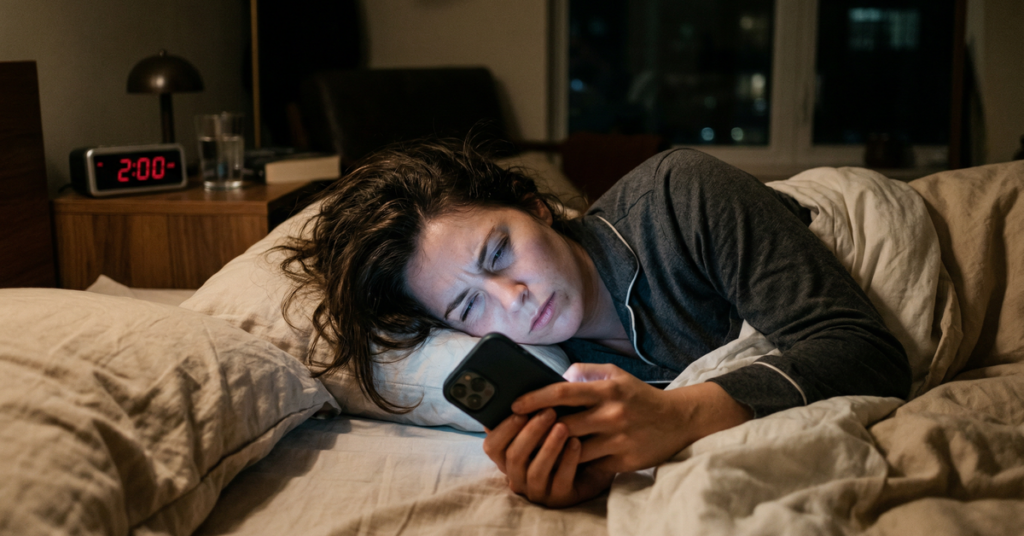
It’s 2am. Your phone buzzes. “Hey, where’s the wine opener?” You squint at the screen, fully awake now, heart pounding. You type out a reply. Three minutes later, another buzz: “Never mind, found it!”
That’s the whole emergency.
If you’ve been hosting for more than a few months, you’ve lived some version of this. According to StayGainesville’s research on host burnout, the average Airbnb host burns out after just two years, and late night interruptions are one of the most common triggers.
You shouldn’t have to choose between sleep and Superhost status. If you want to know how to stop late night messages as an Airbnb host without tanking your reviews or response rate, there are real solutions. Some are free and take ten minutes to set up. Others handle almost everything automatically.
Let’s go through all of them.
Why late-night messages are every Airbnb host’s nightmare
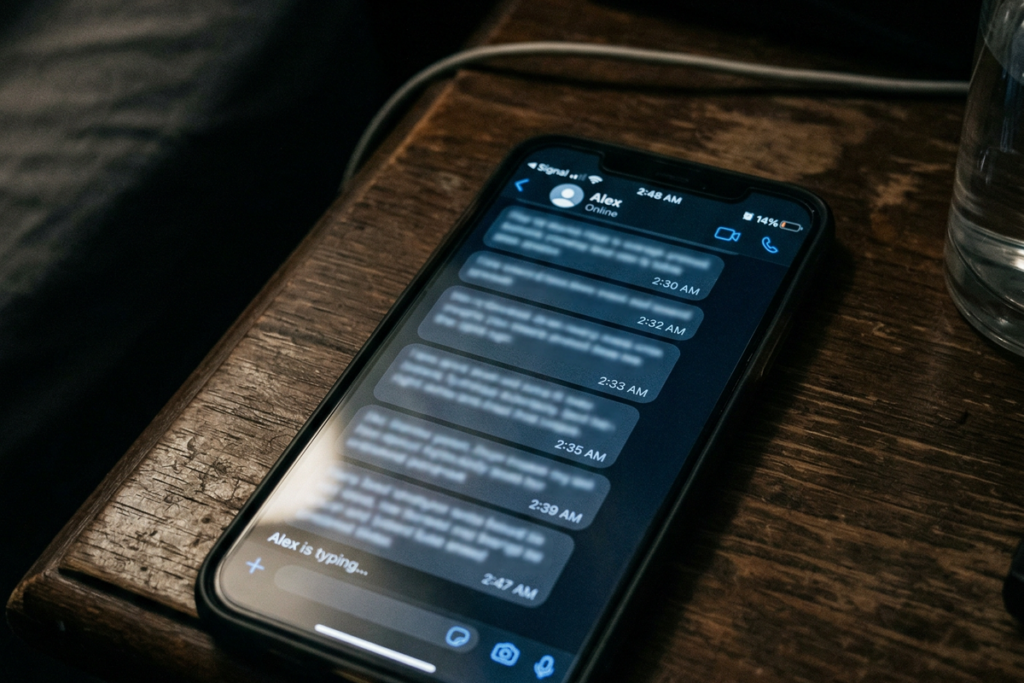
The problem isn’t just losing sleep. It’s the impossible choice you face every night when you go to bed.
Discussions on r/airbnb_hosts show how serious this dilemma can get. One host described a guest locked out at 11pm after a smart lock failure. The guest was diabetic and needed insulin stored inside. The host had their phone on silent and missed every message. The guest nearly had to break a window.
The top comment on that thread: “If you’re the only point of contact and there is no backup, you have to keep your phone on. What about a fire or a burst pipe?”
That’s the fear that keeps hosts from silencing their phones. But leaving the ringer on means being woken up at 3am. Not for emergencies, but for review reminders and pre-acceptance nudges from Airbnb itself.
So what do we do ?
The workarounds people have landed on are grim. One host has their spouse wear a smartwatch that receives Airbnb notifications so at least one of them sleeps uninterrupted. Another pays $125/month to a 24-hour property management service just to have someone else hold the phone at night. These aren’t solutions. They’re coping mechanisms.
It’s not just overnight, either. A 2025 thread on r/airbnb_hosts documented a spike in high-maintenance guests. Hosts with years of experience were describing guests who send rapid-fire questions before arrival, call through the app within ten minutes of an unanswered message, or wait until 8:30pm standing in the dark before checking the lockbox code sent four days earlier.
Another widely-shared thread tells the story of a guest who booked two months out, asked the host to buy alcohol, requested meals, and called late at night after ten minutes without a reply.
You’re not running a hotel. You don’t have a front desk or a night manager. But guests expect hotel-level availability.
Silence your phone and risk missing a real emergency. Leave it on and never truly rest. Both options are bad. That’s why you need a third option.
The real cost of ignoring late-night messages
There’s a practical argument for fixing this beyond just wanting to sleep. The consequences of slow responses go well beyond a grumpy review.
Airbnb tracks your response time to the minute. According to Localbird’s 2026 analysis of the Airbnb algorithm and Hostex’s algorithm breakdown, response time directly influences where your listing appears in search results. Hosts who respond in under an hour see meaningfully better placement than those who hit the 24-hour mark.
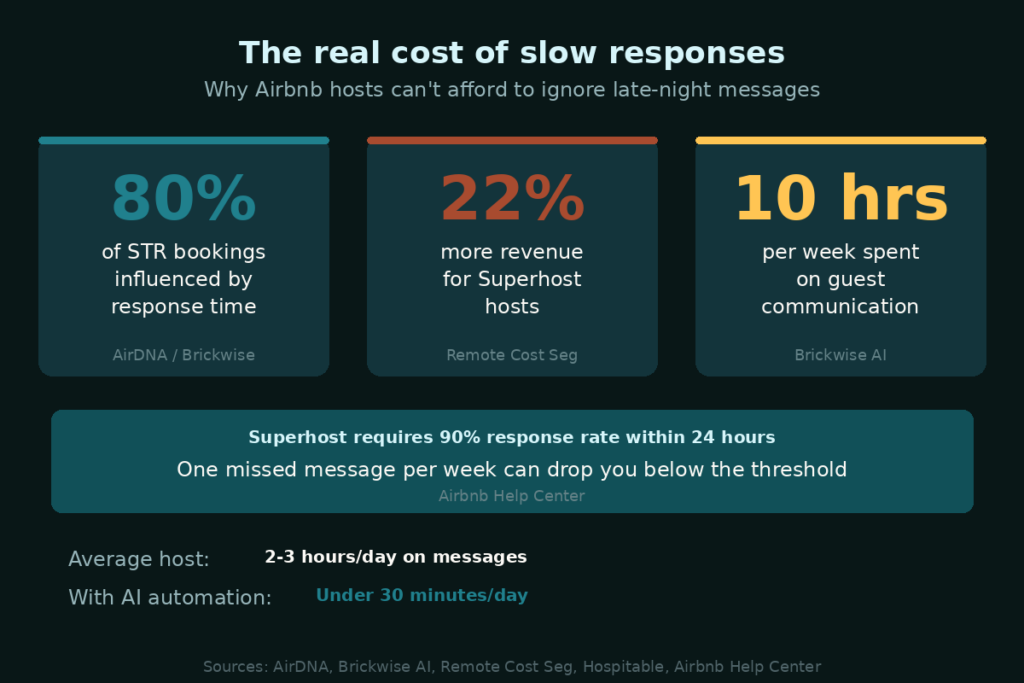
For Superhost status, Airbnb requires a 90% response rate within 24 hours, reviewed quarterly. That sounds manageable until you do the math: one missed message per week can push you below the threshold.
And losing Superhost status isn’t just a badge problem. Research cited by Remote Cost Seg shows that Superhosts earn approximately 22% more than non-Superhosts. Guests actively filter by Superhost status when searching. Most hosts take 18 to 24 months to reach and stabilize that status, and it can slip away in a single quarter.
AirDNA research cited by Brickwise puts it plainly: over 80% of STR bookings are influenced by response time.
Meanwhile, STR operators spend an average of 10 hours per week managing guest communication, with many hosts logging 2 to 3 hours on message handling every single day.
The cost of not solving this, in lost rankings, lost bookings, and lost Superhost revenue, almost certainly exceeds whatever you’d pay to fix it.
Free fixes you can set up tonight
Before spending a dollar, try these. They won’t eliminate late-night messages entirely, but they cut them down significantly. And they’re worth doing regardless of what else you add.
Set up Airbnb’s scheduled messages (the right way)
Airbnb’s built-in scheduled messages let you automate outbound messages triggered by three events: booking confirmation, check-in day, and checkout day.
The single most effective thing you can do here is the 72-hour pre-arrival message. Set it to go out three days before check-in, and pack it with everything a guest could possibly ask: WiFi network and password, parking instructions, lockbox or door code, house rules summary, emergency contact info. Done right, this one message preempts most late-night “quick questions.” Honestly, this alone is worth the ten minutes it takes.
A few things to know: Airbnb limits each message to 4,000 characters and gives you only eight dynamic variables (guest name, check-in date, checkout date, property name, confirmation code, listing URL, host name, and city). No conditional logic, so every guest at every property gets the same template. That’s fine for most hosts.
The bigger limitation: scheduled messages are outbound only. They don’t respond to inbound questions. If a guest messages at 11pm asking about parking, your response rate clock starts ticking immediately. Scheduled messages play no role in that.
Configure your phone’s Do Not Disturb (with an Airbnb exception)
This won’t stop messages from coming in, but it stops everything except Airbnb from waking you up.
- iPhone: Settings > Focus > Do Not Disturb. Set a schedule (10pm-7am), then under “Allowed Notifications,” add the Airbnb app. Only Airbnb messages break through. The “Sleep” focus mode can sync this with your bedtime routine automatically.
- Android: Settings > Notifications > Do Not Disturb. Set your hours and add Airbnb as an exception under “Apps.”
Not a complete solution. But if you’re being woken up by emails, Instagram, and a weather app at 2am in addition to Airbnb, this at least narrows it to one thing.
Send a pre-stay information dump
Seventy-two hours before check-in, send a thorough welcome message covering every question guests commonly ask. Aim for comprehensive, not brief. Most late-night messages come from guests who can’t find something. If the information is easy to find, the messages stop.
Cover:
- WiFi network name and password
- Parking instructions (exact location, any permits needed)
- Entry method — lockbox code, smart lock PIN, or key pickup
- House rules summary (quiet hours, trash day, pet rules if applicable)
- Emergency contact info (yours and a backup)
- Local recommendations: nearest grocery store, pharmacy, urgent care
According to HomeTeam Luxury Rentals, 91% of property managers believe timely and thorough communications positively impact reviews. That tracks. Guests who feel informed before they arrive don’t panic at 11pm.
Build quick reply templates for your top 5 questions
Airbnb’s Quick Replies feature lets you save pre-written answers to common questions. When a guest asks something, Airbnb suggests a matching reply. You still send it manually, but it’s one tap instead of composing a response at midnight.
Build templates for your five most common questions:
- WiFi password
- Parking instructions
- Check-in and check-out times
- House rules (key points)
- Local recommendations
The better fix: AI that replies while you sleep
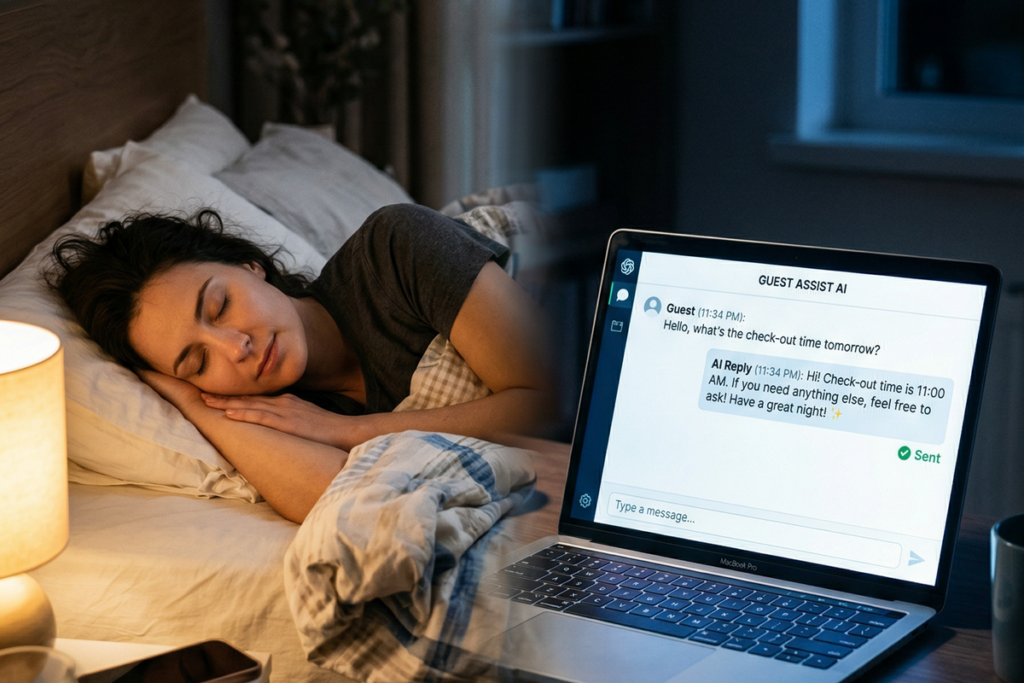
Here’s the problem with everything above: you’re still in the loop. If a guest messages at 1am asking about the WiFi password, your phone still goes off. You’re still awake. You’re still the one deciding whether to reply.
AI messaging automation removes you from that loop entirely.
A guest sends a message — “What’s the WIFI password?” or “Can I check in early?” — and an AI reads it, pulls the answer from your property info, and sends a reply automatically. No approval needed. The guest gets a response in seconds. You sleep through it.
The best tools have an “office hours” mode: you handle messages during the day, the AI takes over at night. Hospitable describes the scenario well: “An international guest booking at 3:00 AM receives an instant response and check-in details, allowing you to wake up to a confirmed, happy guest.”
The numbers are worth knowing. Hospitable reports handling 90% of guest messages without manual intervention. In 2023 alone, the platform sent 12.8 million automated messages, the equivalent of 24 years of manual messaging work. Users report cutting their daily message-handling time from three hours down to under 30 minutes.
A few tools worth knowing:
- Hospitable — full property management system plus AI auto-replies, starting at $29/month
- Host Pilot — AI suggested replies with a flat $29/month fee, good for hosts with 1-10 units
- HostBuddy AI — focused on messaging with a smart inbox and issue tracking
These tools handle texts well. But there’s one thing none of them can do: answer the phone.
The best fix: an AI voice concierge that answers calls at 2am
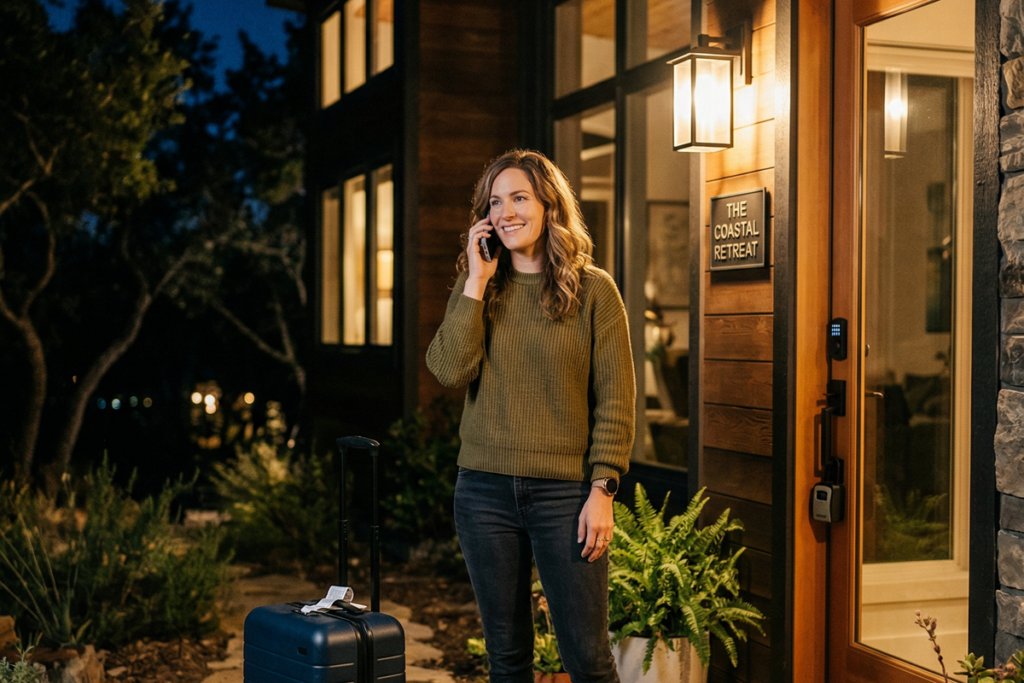
Guests still call. Even with digital check-in, guidebooks, and automated messages in place, a guest who’s locked out at midnight or dealing with a plumbing issue isn’t going to text. They’re going to call.
An AI voice concierge is basically a front desk that never sleeps.
A guest calls your property’s phone number. The AI answers immediately. Not a voicemail, but a live conversational response that already knows the guest’s name, reservation dates, Wi-Fi password, and house details. It handles the common calls (lockbox codes, parking directions, check-out requests, amenity questions) and escalates true emergencies to your phone.
Go back to the diabetic guest scenario from earlier. The guest is locked out at 11pm, the host’s phone is on silent, and things escalate to near crisis. With voice AI: the guest calls, the AI provides the backup lockbox code within seconds, the guest gets inside, and the host sleeps through it.
Thinkrr’s AI voice solution for STRs describes their system as “instant guest call screening — filter noise, escalate only true emergencies.” That’s the right frame.
A real case study from Dimora AI shows the difference clearly. Before implementing voice AI, an AC breakdown at 10pm went unanswered, resulting in a 1-star review with “Nobody answered” in the text. After implementing voice AI for the same property, an identical issue was handled by the AI within 10 minutes and resolved by midnight. 5-star review. Same problem. Opposite outcome.
Pricing across the main voice AI tools:
- Thinkrr.ai — $39/month for up to 10 properties and 100 voice minutes, with 16+ languages and 80+ voice profiles
- Dimora AI Essential — $6/property/month with unlimited calls, plus inbox AI
- Host Pilot — $29/month flat rate, AI concierge included with one-click Airbnb import
For a host with one to five listings, these are all reasonable costs for sleeping through the night.
How BnBGenius handles both — for $10/listing
If the tools above feel fragmented (one for messaging, another for voice, a third for reviews), BnBGenius bundles all of it into a single Chrome extension. No APIs to configure, no new dashboards to learn. Setup takes about five minutes.
Free tier: up to 500 messages per month at no cost. This covers most low-volume hosts.
Pro tier: $10 per listing per month. That includes AI messaging, the voice concierge, automated review requests, task management, and upsells.
If you’re currently piecing together separate tools, or paying $30/month each for messaging and voice separately, that math improves quickly. It’s built for the host with one to five listings who wants their nights back.
You didn’t sign up to be a 24/7 concierge
You got into hosting to earn extra income, not to become the person staring at their phone at 2am because someone can’t find the wine opener.
The right setup handles that WiFi text at 2am automatically, answers the panicked lockout call at midnight without waking you, and only escalates the calls that genuinely need your attention.
Start with the free fixes tonight. The 72-hour message alone will cut your late-night volume noticeably. If you want to fully get out of the loop, AI messaging is the next step. And if you’re still losing sleep over missed calls turning into 1-star reviews, a voice concierge solves that.
Sleep matters. More than any single guest message.